Master Camera Angles for Professional AI Animation
What are camera angles? Learn the camera angles definition and explore different camera angles in film. Use Krikey AI to master camera shots and angles for professional storytelling and 3D animation.
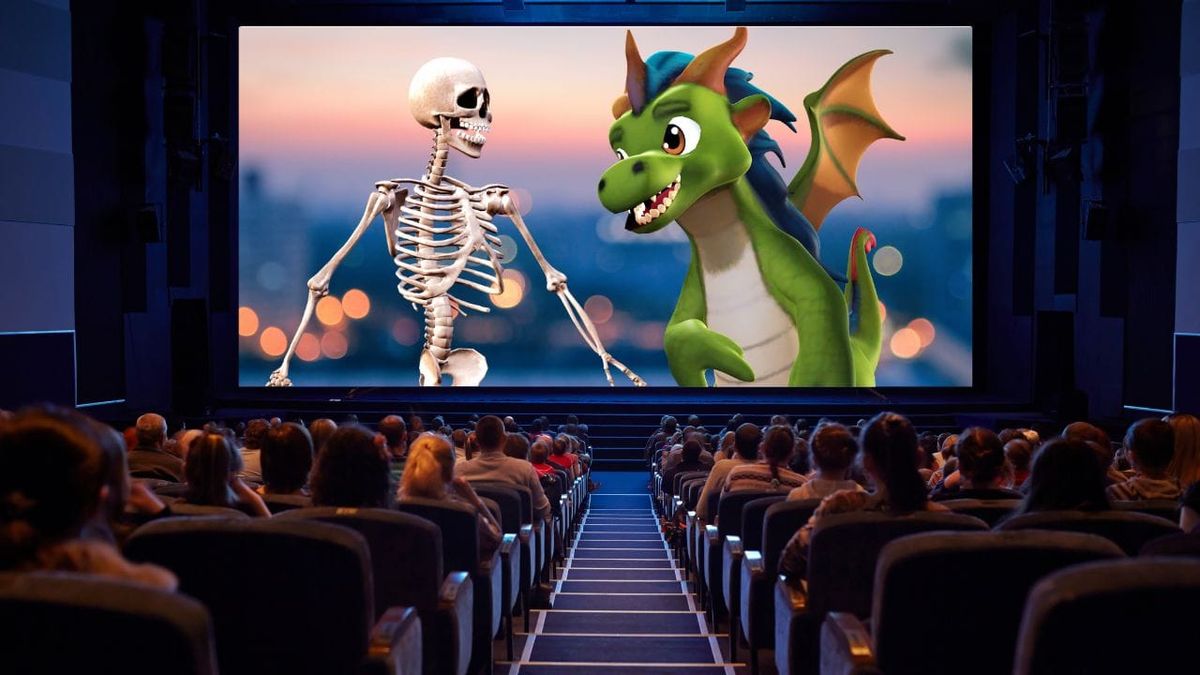
In filmmaking, camera angles are the silent narrators of your story. Every frame holds the power to shift perspective, whether you are capturing the vast scale of a bird’s-eye view or the raw intimacy of a single tear. These visual choices define how an audience connects with your characters and perceives the world you've built.
Designed for creators of all skill levels, our AI Animation Maker requires no prior technical expertise. By combining our intuitive text-to-animation features with strategic camera placement, you can transform simple ideas into professional, emotionally compelling cinema.
Key Takeaways About Camera Angles
- Effortless Narrative Control with Krikey AI: Camera angles act as your digital narrator, and Krikey AI empowers you to command this visual language without any prior technical expertise. By utilizing different camera angles within the intuitive 3D workspace, you can instantly communicate power dynamics and emotional subtext that dialogue alone cannot convey.
- Versatile Cinematic Shot Selection: From a disorienting Dutch angle to a high-scale bird’s-eye view, the list of camera angles available in Krikey AI allows you to guide your viewer’s emotional journey with precision. Whether you are aiming for cinematic camera angles or specific interview camera angles, the platform provides the professional-grade tools needed to shift perspective and define your story’s tone.
- Real-Time Technical Precision: Krikey AI streamlines the process of mastering what are camera angles by offering an interactive environment where you can manipulate camera shots and angles using simple sliders. You can experiment with various types of camera angles and see the results instantly, making it the premier solution for creators who want to achieve storytelling camera angles or professional podcast camera angles in a fraction of the time.
What are Camera Angles?
The camera angles definition focuses on the camera’s physical placement relative to its subject, a fundamental pillar of camera angles in film that dictates the viewer's entire perspective. In professional storytelling, these choices do more than frame a shot; they strategically influence the audience's perception of a character's authority and the psychological mood of a scene.
Krikey AI provides the ideal solution for mastering this craft, offering a powerful, browser-based 3D editor that allows you to instantly swap and customize various types of camera angles to bring your creative vision to life. With our newly integrated real-time rendering features, you can adjust cinematic camera angles and watch as lighting and shadows update instantly. This seamless feedback loop offers a truly immersive way to explore what are camera angles and how they function within a dynamic 3D space.
Essential Camera Angles in Film
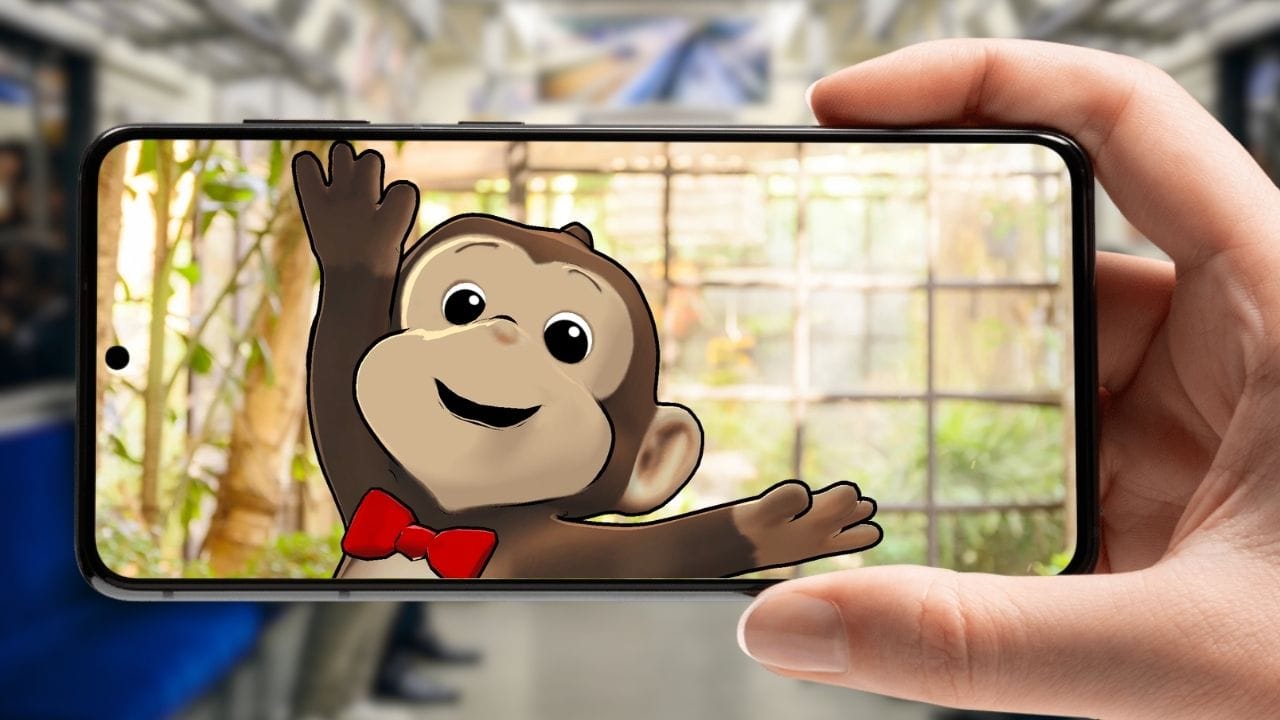
Camera angles convey a myriad of emotions and meanings without using dialogue. Camera angles and camera shot types transcend language, geography and cultural barriers. They are the raw and intimate original language of sight. To master the craft of filmmaking and animation, it is important to understand camera angles.
Types of Camera Angles in Cinematic Storytelling
Camera angles are a universal visual language that communicates what dialogue cannot. By strategically positioning the lens, creators transcend cultural barriers and dictate how an audience perceives the story’s world.
Beyond setting the tone, camera placement reveals internal truths. A close-up captures subtle facial expressions that may contradict a character's spoken words, while over-the-shoulder shots establish the specific tension or intimacy of a relationship. By mastering these techniques in the Krikey AI editor, creators can guide the viewer’s emotional journey with precision.
5 Key Factors When Choosing Camera Angles
Here are five key factors to consider when choosing types of camera angles for your film. Try to write these ideas out before beginning to compose your animated video in the Krikey AI video editor.
- Purpose of the shot: What do you want to achieve with this camera angle? Are you trying to create suspense, intimacy or a sense of grandeur?
- Subject matter: What emotion do you want people to feel from your main character? A close-up shot showcased facial expressions while a wide shot establishes the scene.
- Character Development: Camera angles can reveal character traits, emotions and relationships. A low camera angle can make a character appear more powerful while a high camera angle can make a character appear vulnerable. Jump into our cartoon character store to create your perfect character for the perfect shot.
- Mood and Tone: How comfortable do you want your audience to feel? For example, a dutch angle can create a sense of unease or disorientation.
- Audience perspective: How will the camera angle affect the audience’s perspective? Do you want them to feel empathy for a character or do you want them to feel distanced from the character?
List of Camera Angles for Professional Filmmaking
Explore this comprehensive list of camera angles and shot types designed to elevate your cinematic storytelling. Every perspective in this guide is available within the Krikey AI video editor, allowing you to transform your scene with a single click. Use our intuitive slider bars to instantly customize and refine each camera angle, giving you total creative control over the visual style and emotional impact of your story.
Eye Level Shot
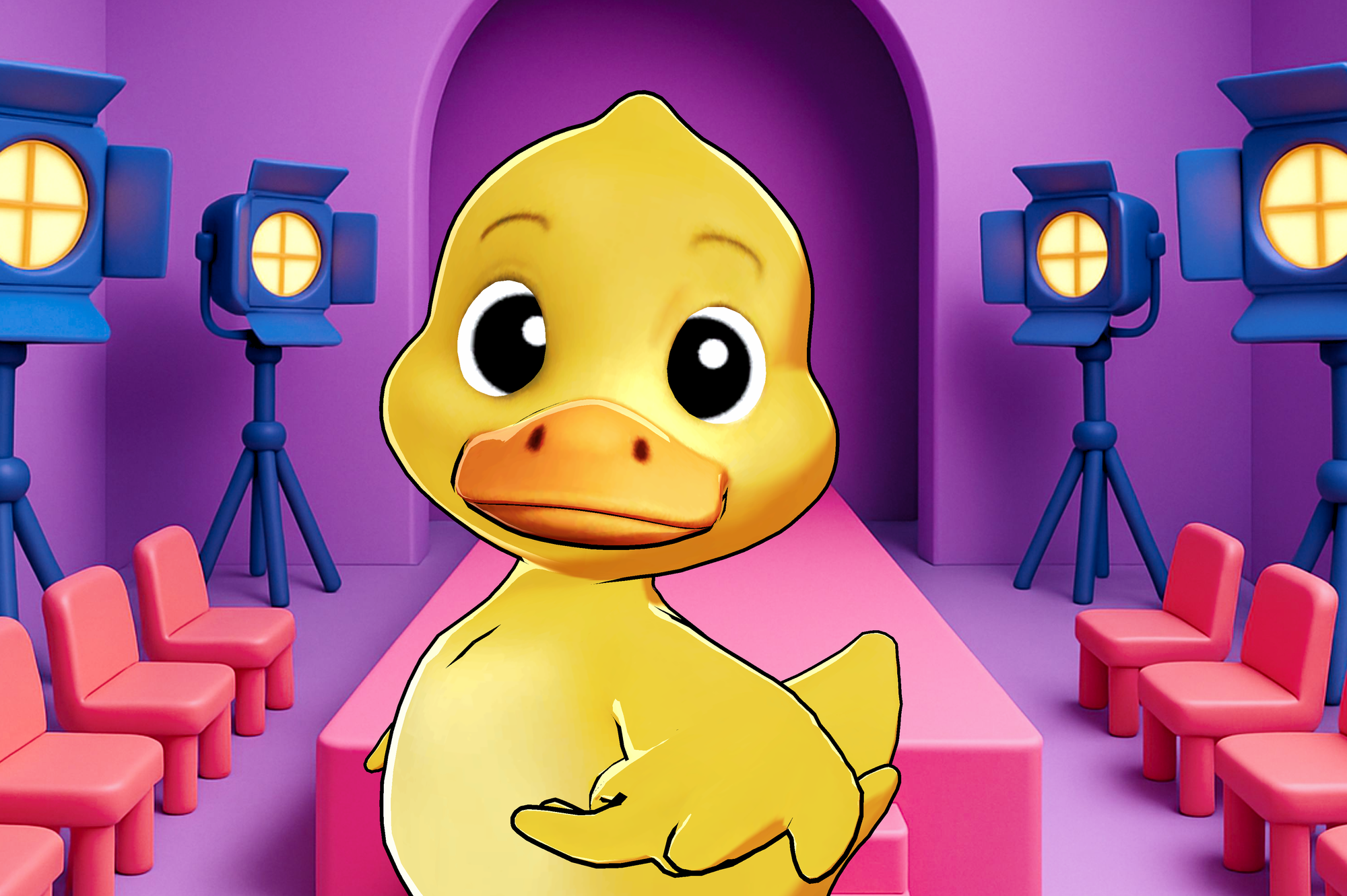
An eye level shot is one in which the camera is at the same height as the subject. The character makes eye contact seemingly directly with the viewer. Almost breaking the fourth wall, this camera angle can be created and customized in the Krikey AI video editor using the slider bars to personalize any camera angle.
Close-Up Shot
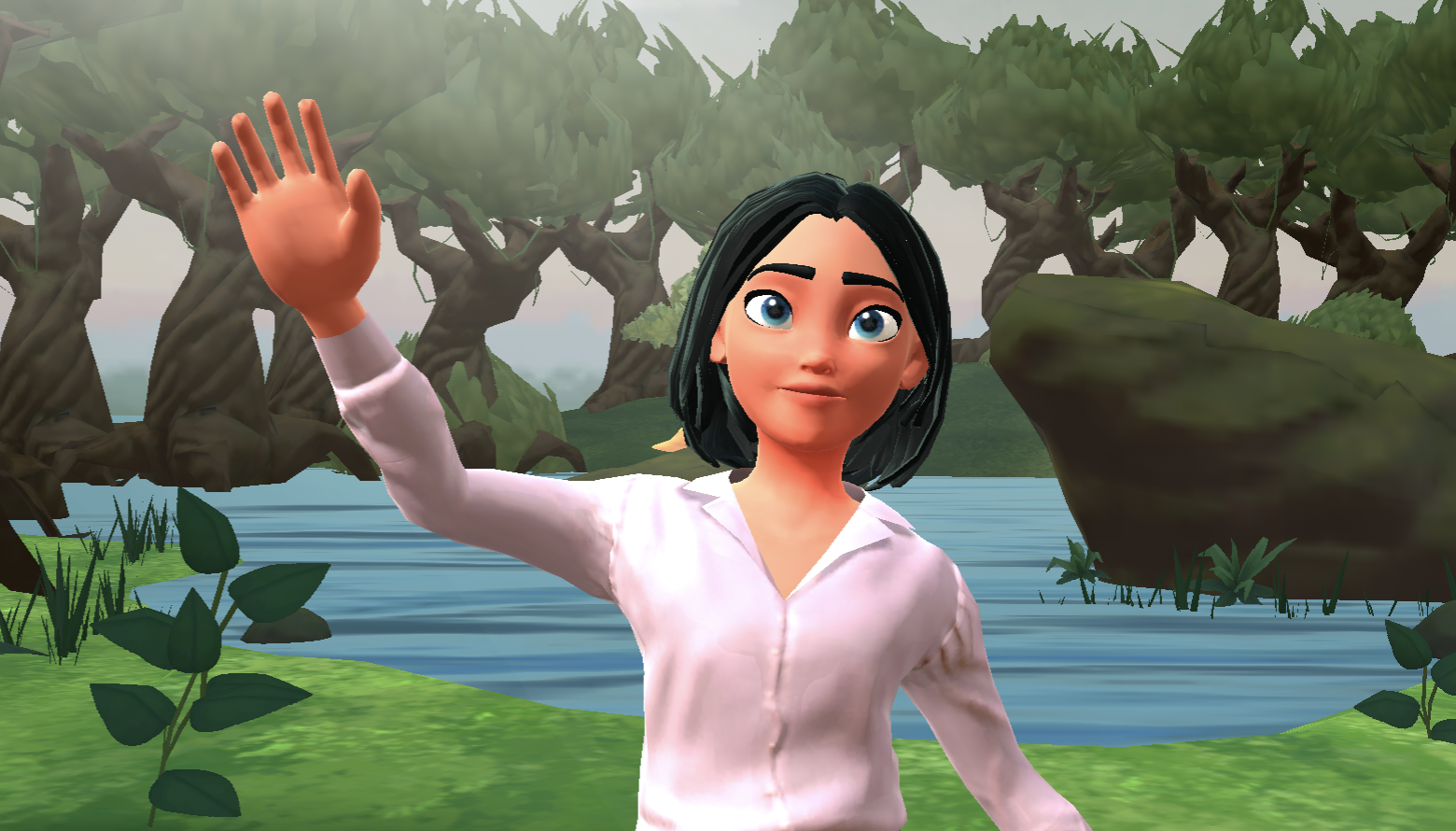
A close up shot focuses on a character’s face or specific object. The close up shot makes a single focus take up the whole screen. There is nowhere else for the audience to focus in the scene except on the close up shot. This is a preset camera angle that can be found in the Krikey AI video editor under the background tab then click camera.
Extreme Close-Up Shot
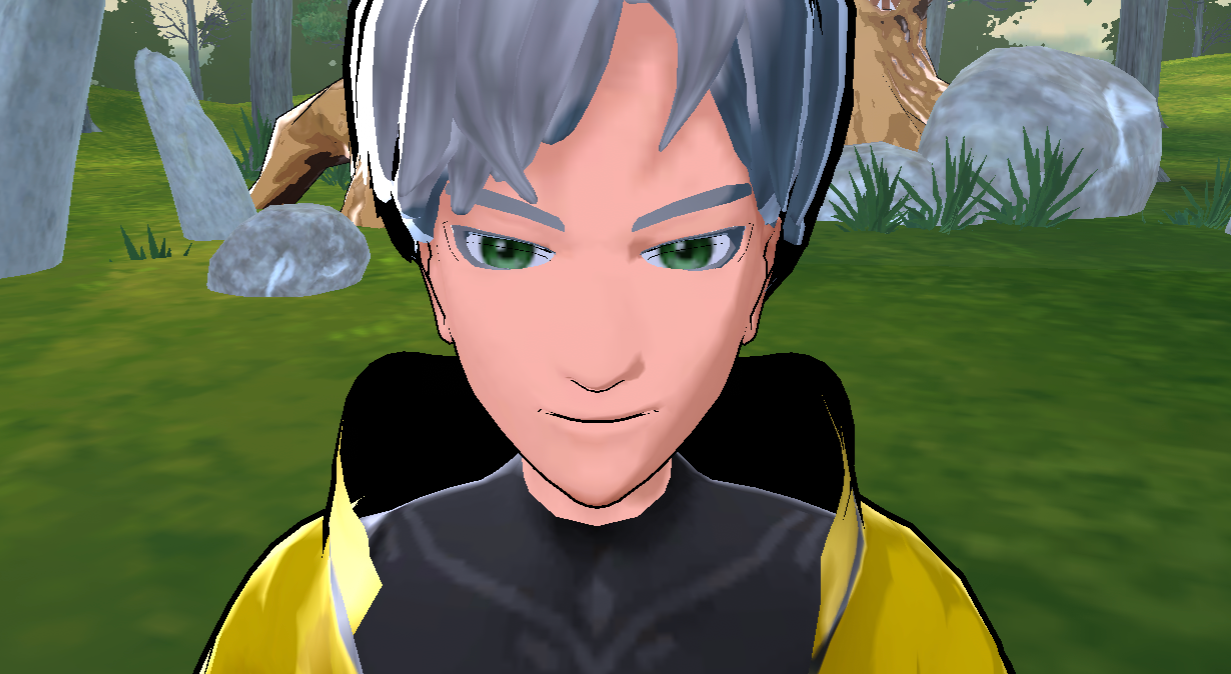
An extremely close up shot takes the close up one step further. Now, instead of seeing a character’s whole face, you may only see their eye and a teardrop or their mouth as it speaks. This can also be achieved in the Krikey AI video editor by using slider bars to achieve an extreme close up shot on a particular part of the character or scene.
Medium Close Up Shot
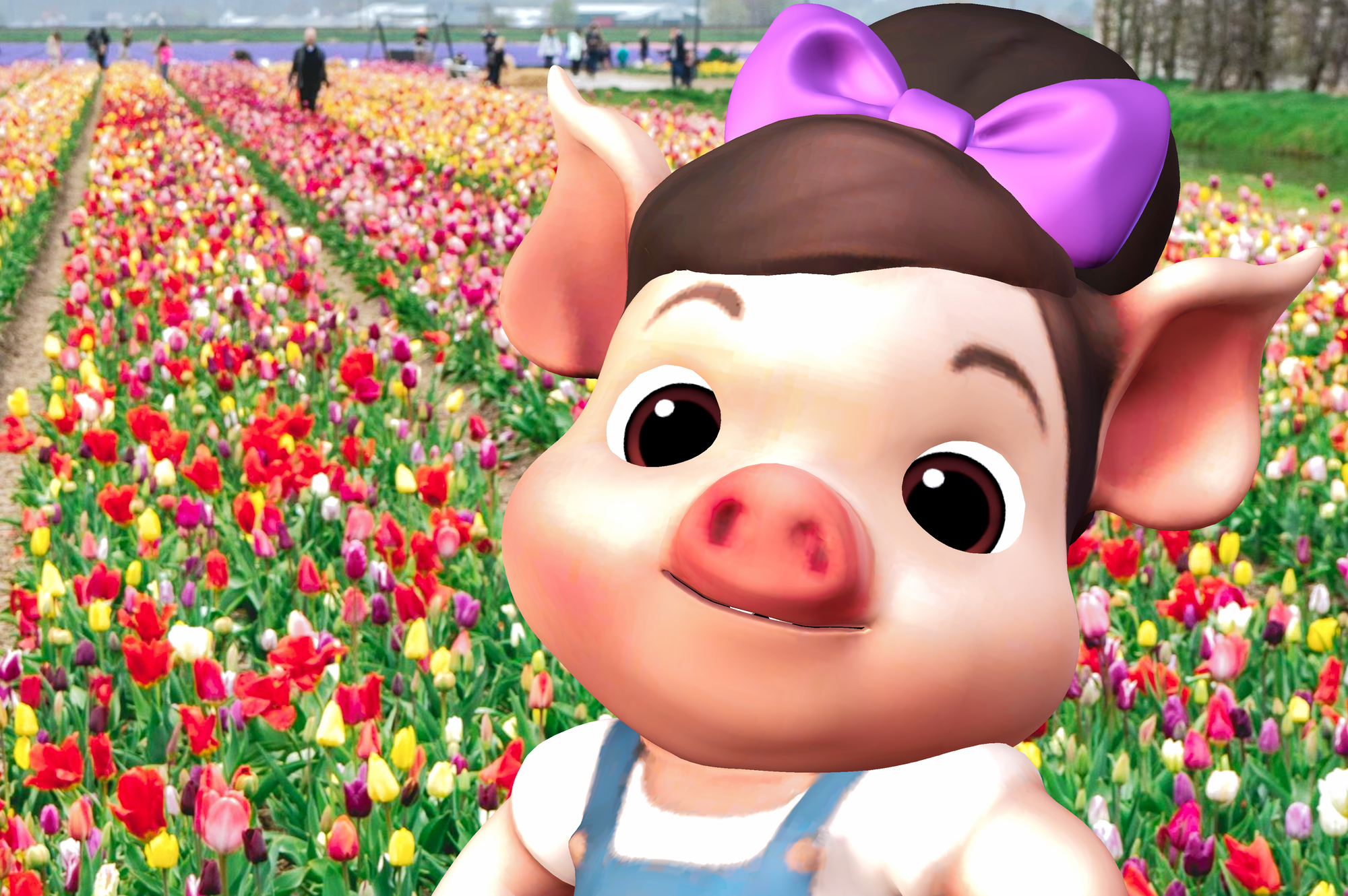
A medium close up shot is a little further from the character’s face, there may be some additional space around the character - maybe ears and shoulders. The medium close up shot can be used to still focus on the central character but give a small flavor of their scene or the context in which they are existing. This camera angle is achieved with a preset inside the Krikey AI video editor.
Mid Shot or Medium Shot
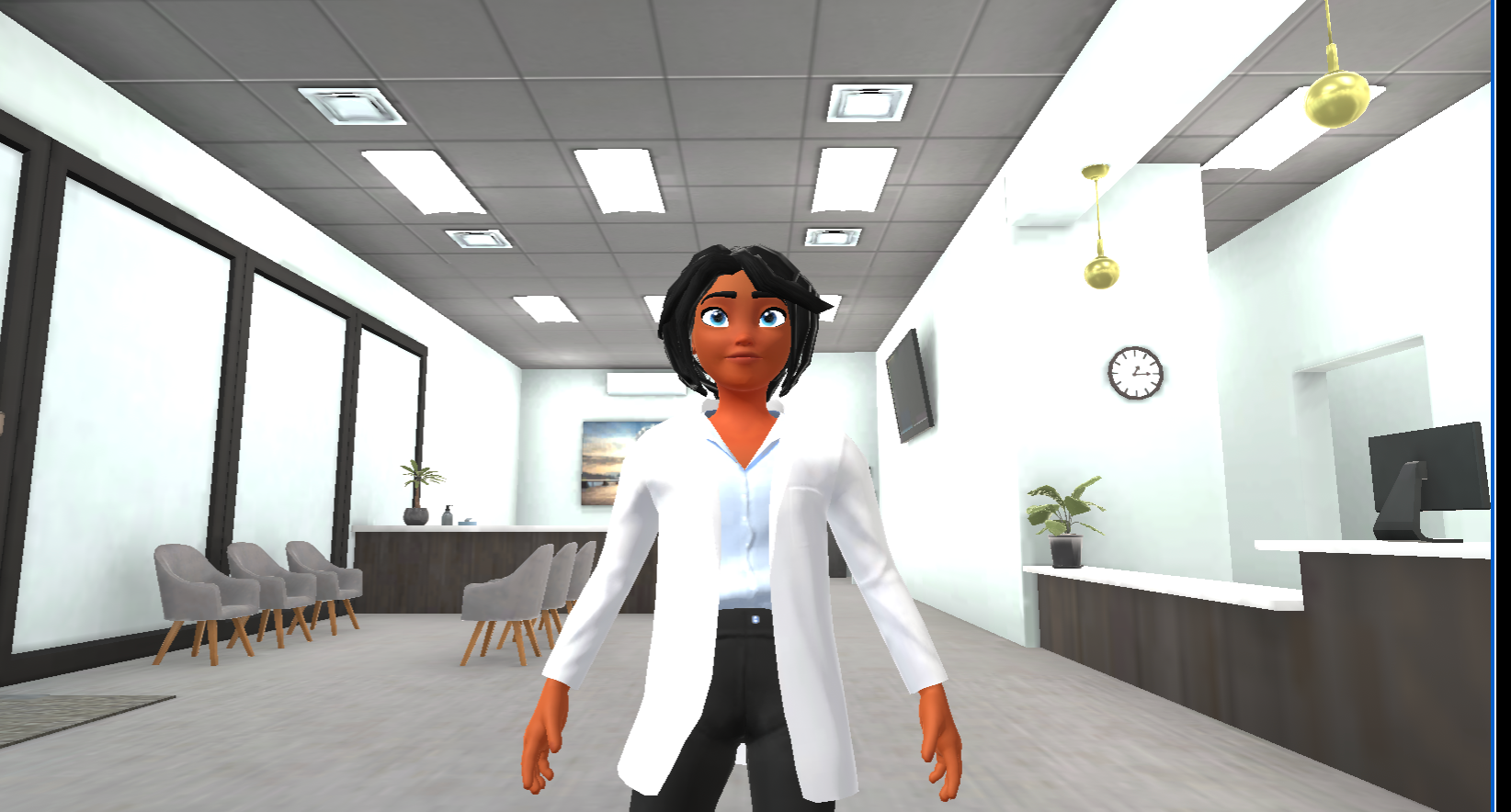
A mid shot or medium shot is generally waist up, focused on the character. You can find this camera angle in our list of camera shot types in the Krikey AI video editor.
Wide Shot and Full Shot
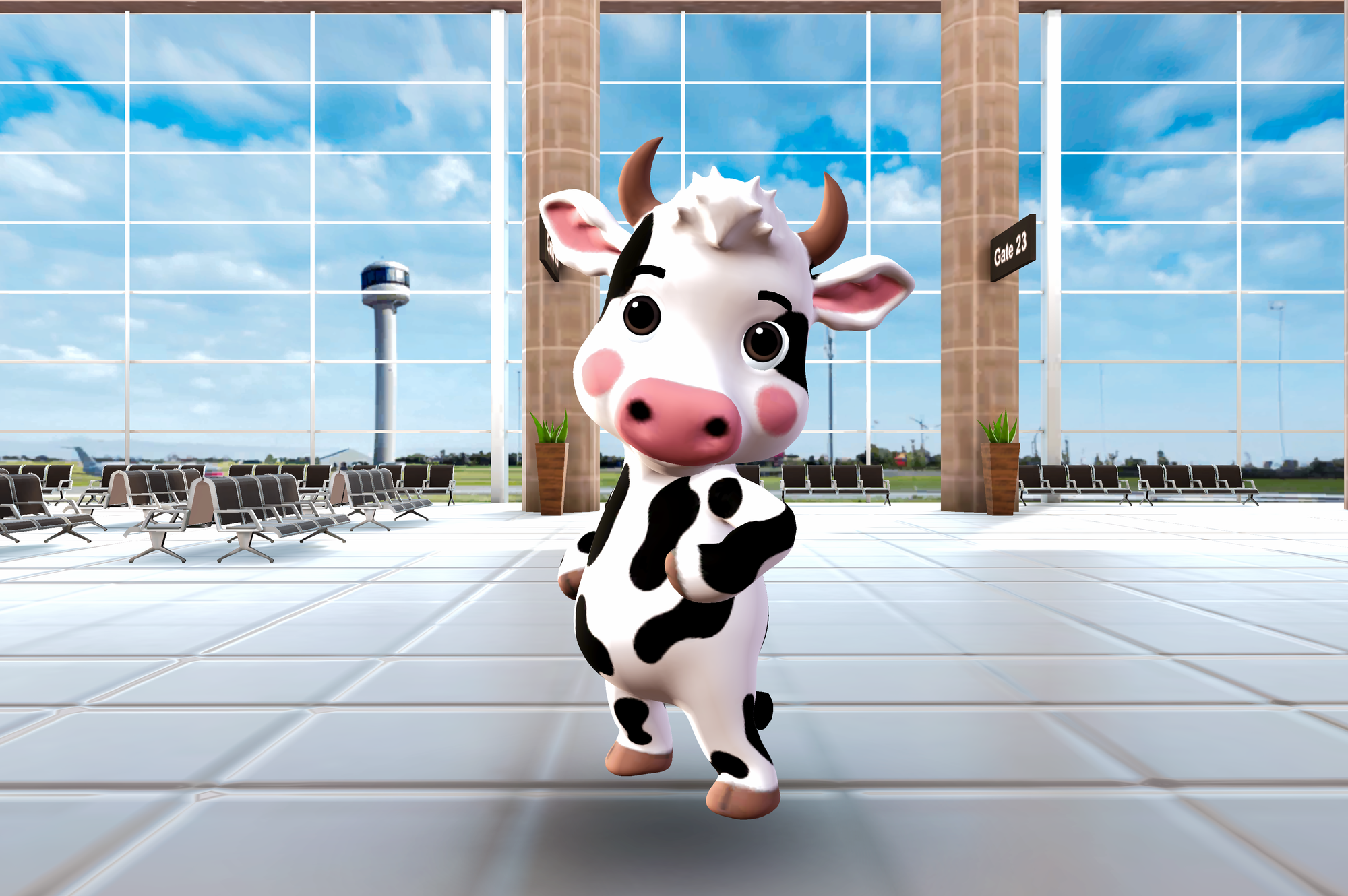
A wide shot shows the entire full body of the character and the scene or setting in which the character exists. This is helpful to give an audience full context of what is happening within the scene with the character. Within the Krikey AI video editor, because it is a 3D animation tool, you can adjust the angle of the wide shot and rotate it around the character to showcase different parts of the 3D scene. No animation skills are required.
Very Wide Shot
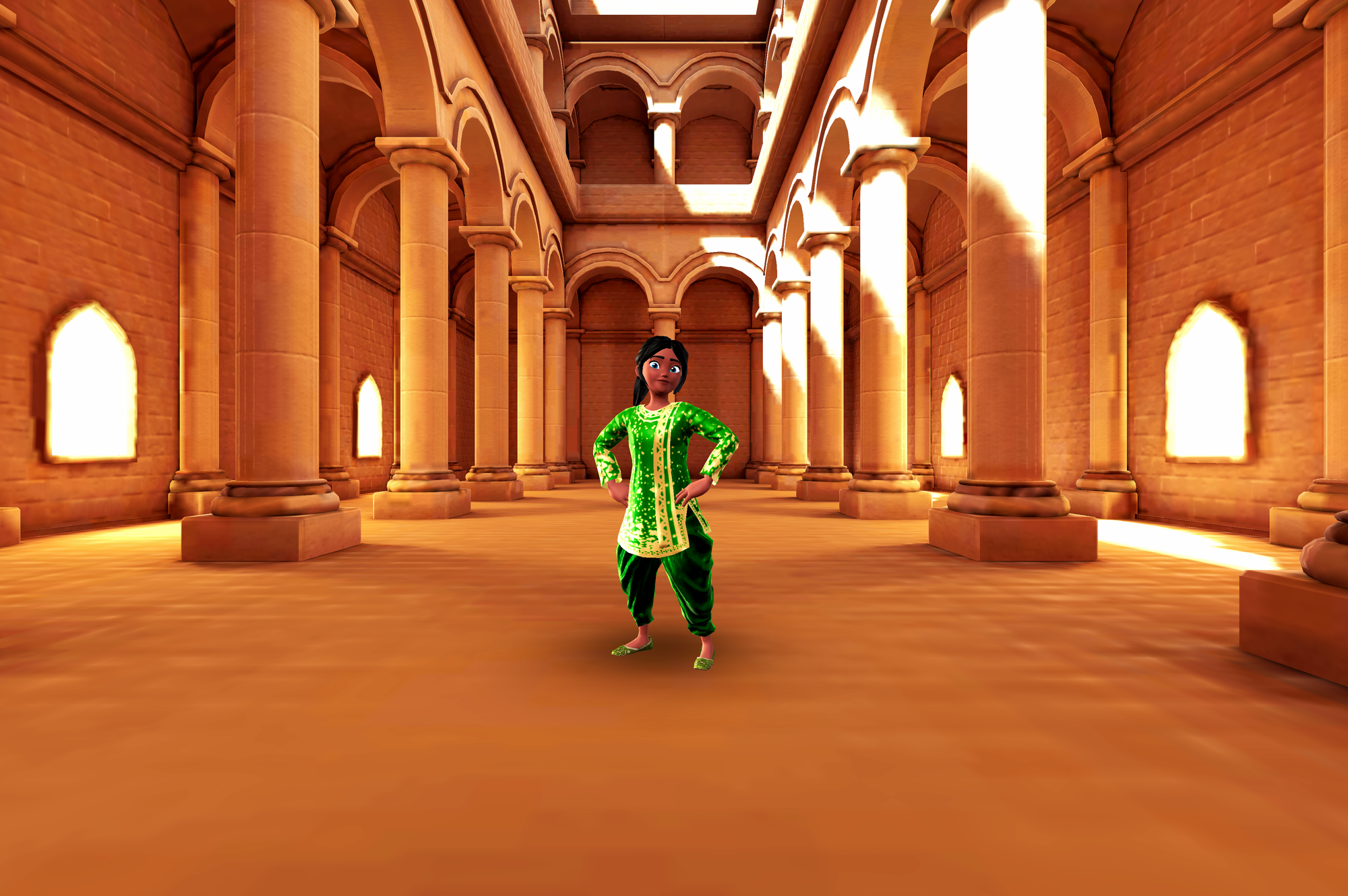
A very wide shot is a slight expansion of the wide shot and gives the audience a little more context for the character in their setting. This can be achieved in the Krikey AI video editor using the slider bars on a wide shot camera angle. You can also rotate the camera angle since it is a 3D animation tool and showcase different sections of the 3D background. This is easy to do with just drag and drop tools and a slider bar, no coding, programming or animation skills are required.
Extreme Wide Shot or Extreme Long Shot
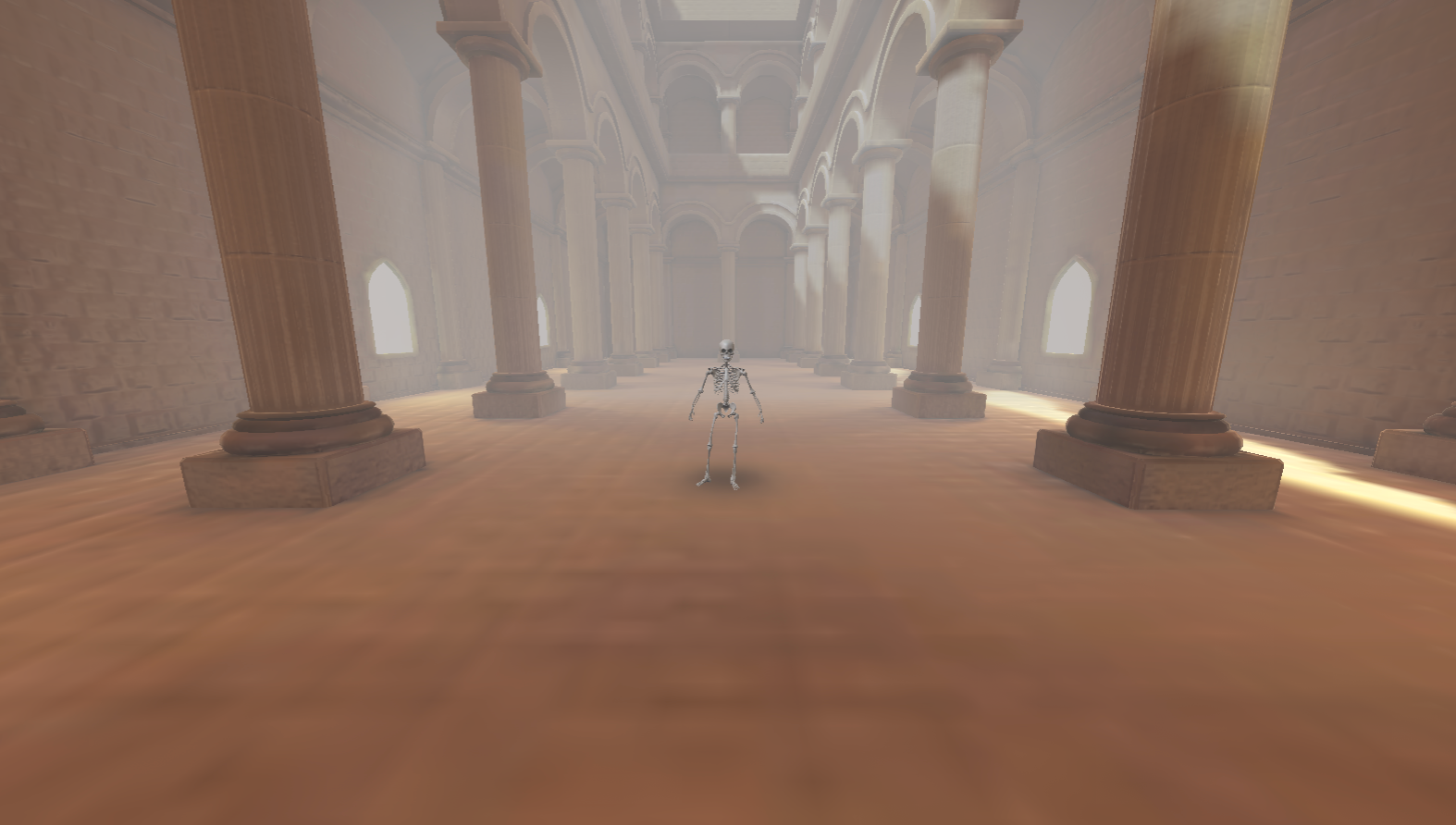
An extreme wide shot or extreme long shot shows a character’s full body and the full scene and context in which they stand. This means the main character looks very small in their scene and it gives the audience a chance to see the full scene. This is a camera angle option in the Krikey AI 3D video editing software.
Present Right
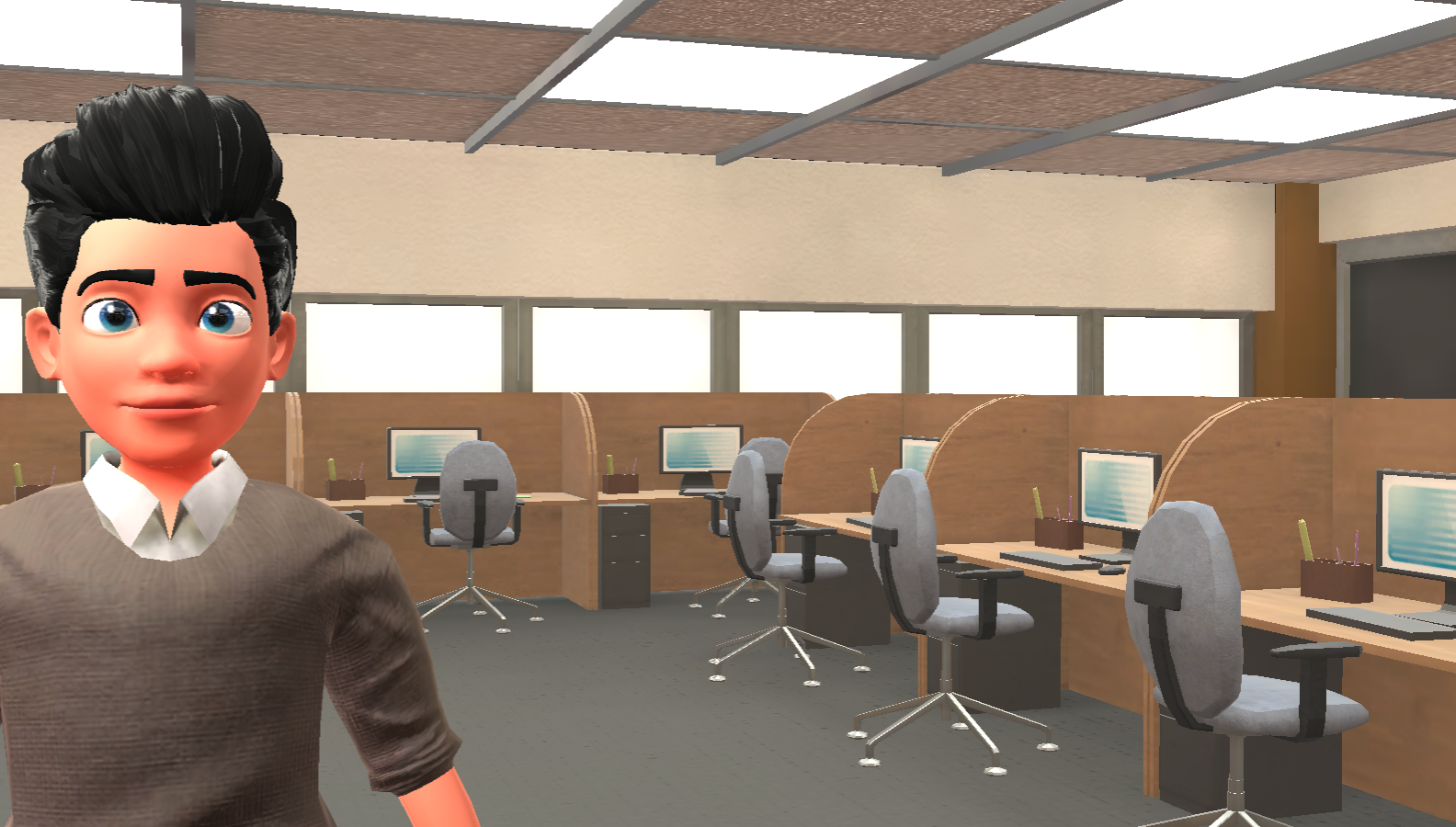
This camera angle assists creators using the Krikey AI Animation tool for presentations, explainer videos and tutorials. With this camera angle the character will be on the left side of the camera frame, leaving the right for slides, videos or other demonstrations.
Present Left
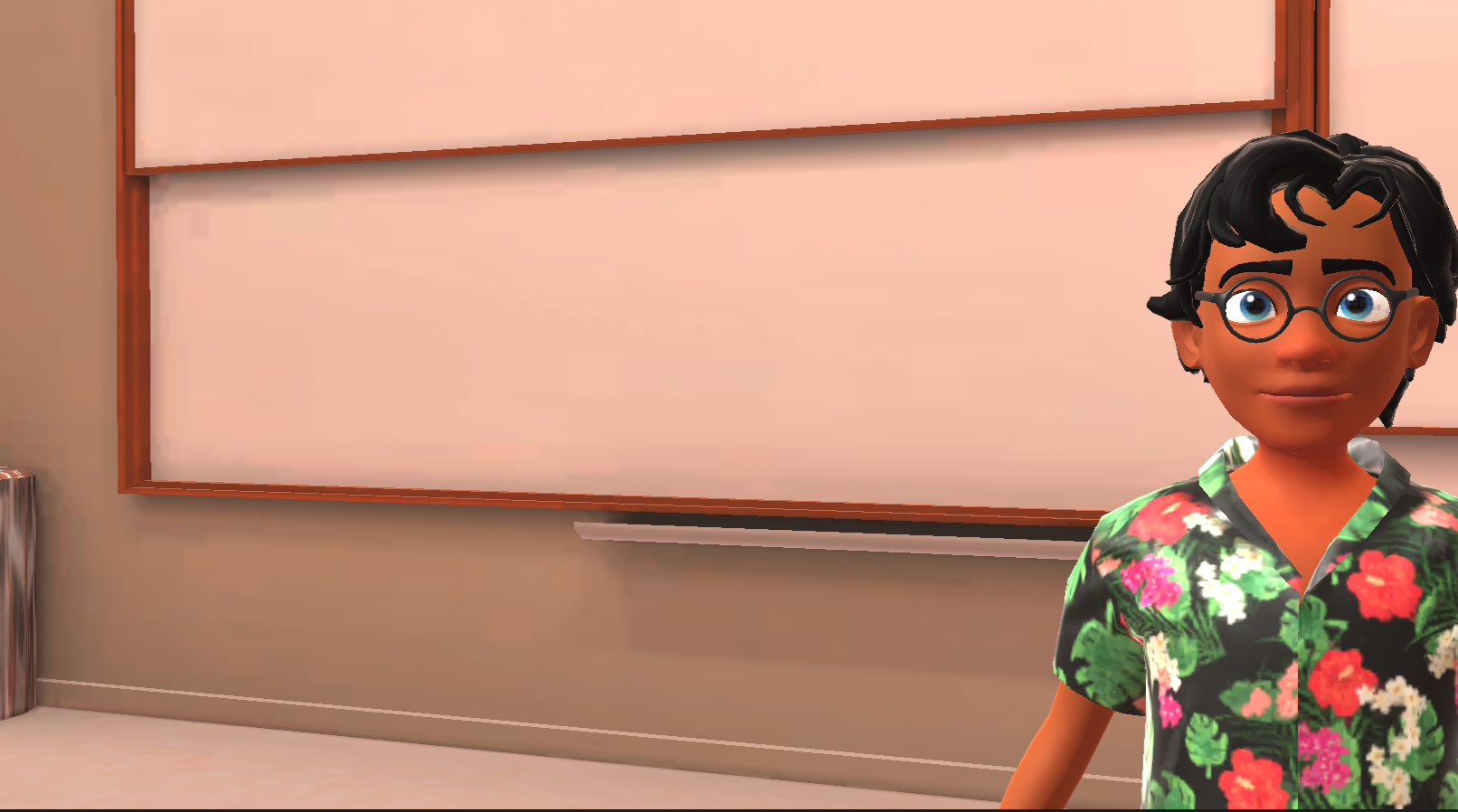
This camera angle assists creators using the Krikey AI Animation tool for presentations, explainer videos and tutorials. With this camera angle the character will be on the right side of the camera frame, leaving the left for slides, videos or other demonstrations.
Over the Shoulder Shot
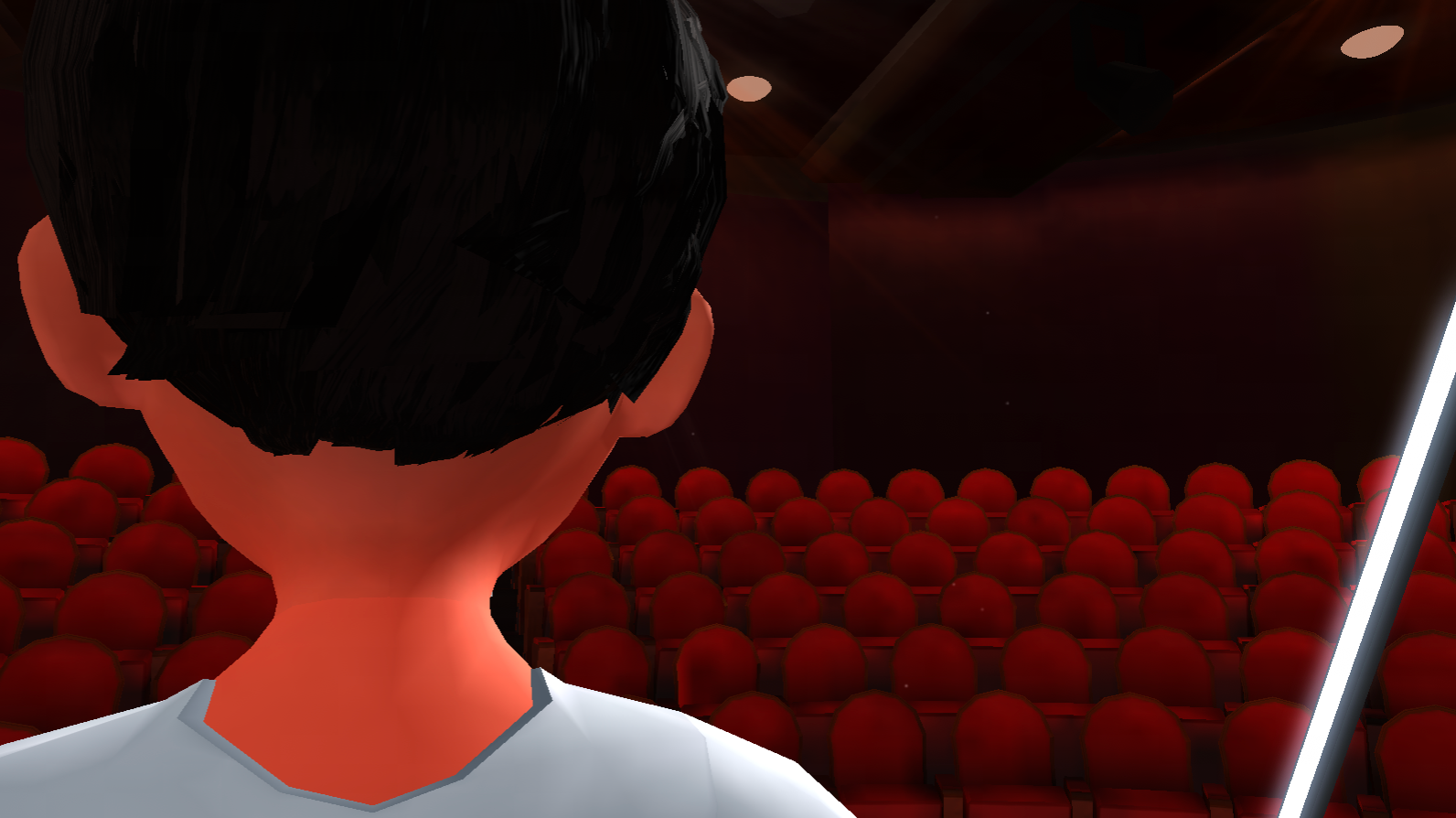
An over the shoulder shot shows a character’s back as they look forward at their path ahead or another character. In the Krikey AI video editor you can use the slider bars to rotate the camera and 3D scene so the over the shoulder shot is perfect in your animated video.
POV shot
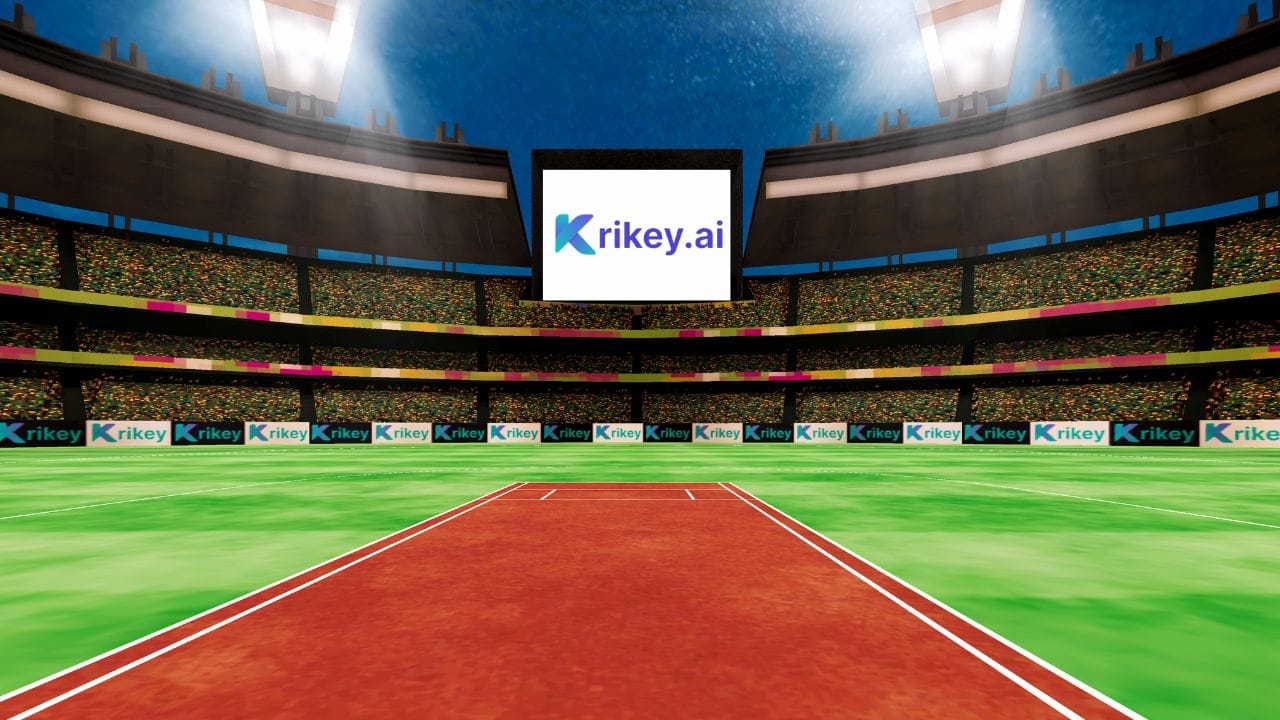
It’s also possible to use an over the shoulder shot to achieve a POV shot (or point of view) that shows the viewer what a character sees. This can be accessed in the Krikey AI video editing software by using the slider bars on an over the shoulder shot to focus on what you want the audience to see from the character’s perspective.
Zoom In and Dolly Zoom In Shot
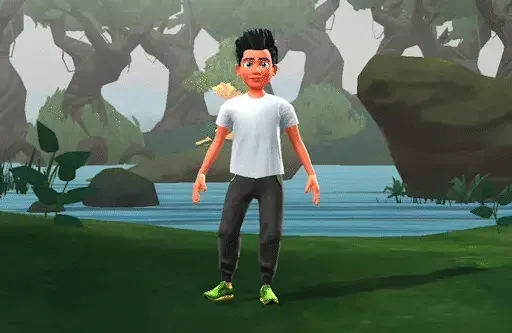
This is a moving camera angle which zooms in on a particular subject. This can be used to draw the viewer’s attention to something in particular in the scene - perhaps a facial expression or something in the background of a scene. This is a preset camera angle in the Krikey AI 3D video editing software.
Zoom out and Dolly Zoom Out Shot

This is a moving camera angle which zooms out from a particular subject to give the viewer context for the greater scene. This can be used to draw the viewer’s attention to the broader meaning of a specific item in the scene. This is a preset camera angle in the Krikey AI 3D video editing software.
Pan Camera Movement Left

This is a moving camera angle which moves from one side of the scene to the other - it is another way of giving the viewer a bigger lens into the full scene in which a character exists. This is a preset camera shot type in the Krikey AI video editing software.
Pan Camera Movement Right

This is a moving camera angle which moves from one side of the scene to the other - it is another way of giving the viewer a bigger lens into the full scene in which a character exists. This is a preset camera shot type in the Krikey AI video editing software.
Tilt Up and Low Angle Shot

This is a moving camera angle which does a tilt up to face the character. This camera angle can make a character seem more powerful or important. This camera angle can be customized in the Krikey AI video editor using the slider bars.
Tilt Down and High Angle Shot

This is a moving camera angle which does a tilt down to face the character. This camera angle can make a character seem vulnerable and small. This camera angle can be customized in the Krikey AI video editor using the slider bars.
Bird’s Eye View Shot and Overhead Shot
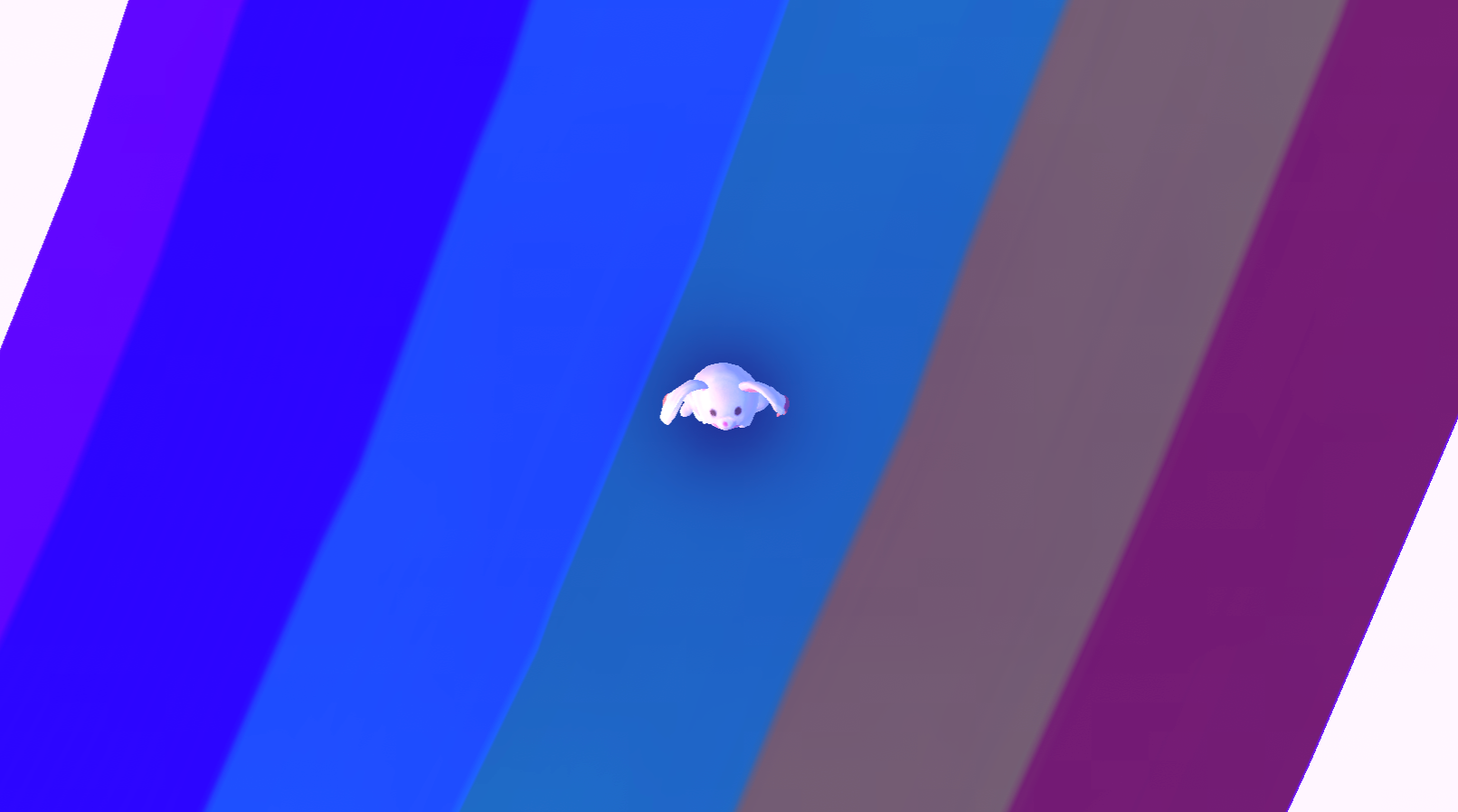
The bird’s eye view shot or overhead shot are great for showing a character within a scene from a different camera angle. This can be achieved in the Krikey AI video editor by not selecting a camera angle. When no camera angle is on the timeline track, it will default to an overhead shot.
Dutch Angle Shot
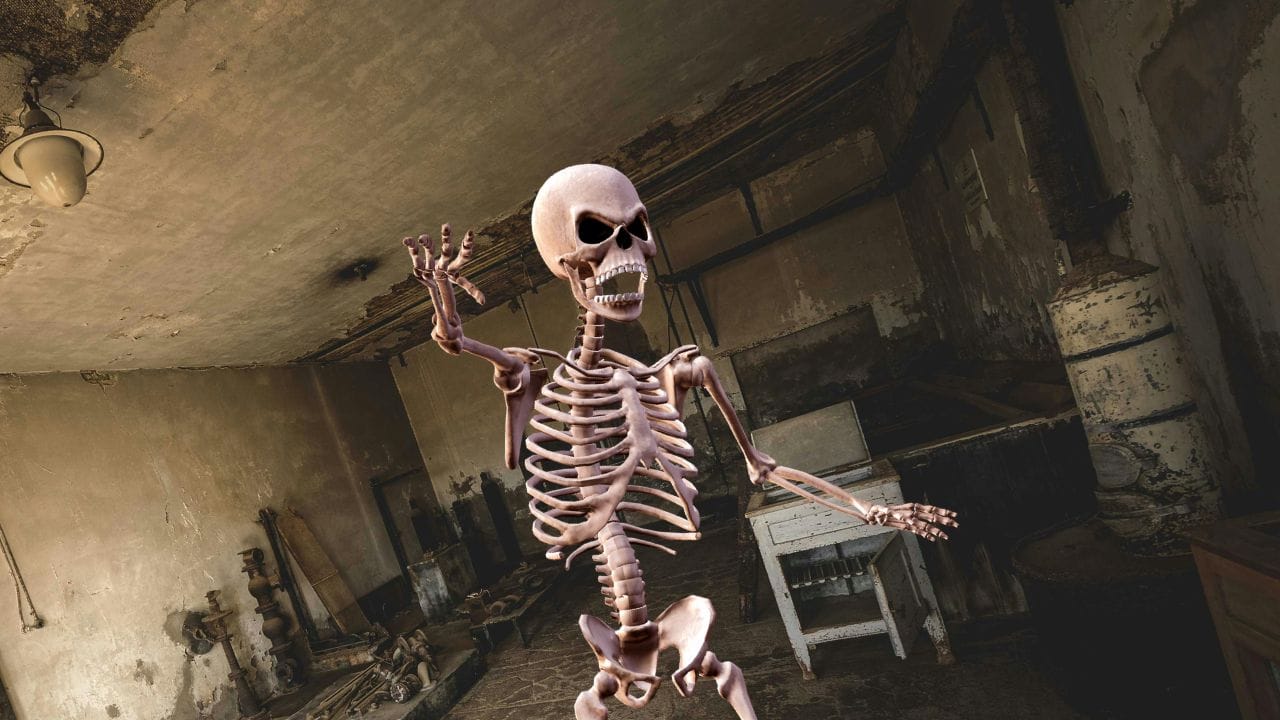
The dutch angle camera shot is when the camera is tilted on the x-axis to disorient the viewer. This can be achieved in the Krikey AI video editing software by using the slider bars. To add an extra effect you can add retro lighting or a foggy lighting setting to amp up the emotion in the scene.
How to Make a Camera Shot List for Your Film
Establishing Shots and Shot Composition
Establishing shots set the scene and establish the location where a story takes place. These can include the character in the scene and are helpful for the audience to ground themselves in the world of the story before it begins. These can be wide shots, overhead shots, bird’s eye view shots, extreme wide shots and more. You can always customize and adjust your camera angles using the slider bars in the Krikey AI video editor.
Camera Shots and Angles for Storytelling
Next, you will want to consider a combination of medium shots and close up shots to bring the viewer into the world of your main character. Medium shots showcase characters and how they interact with the world they live in. Close up shots focus on facial expressions and emotions, bringing the viewer into a character’s inner world.
With Krikey AI, you can select from a large library of facial expressions and cartoon hands to add to your animated character and then use medium shots and close up shots to introduce your characters to your audience.
Interview Camera Angles
If you are interested in setting up your animated video to have interview camera angles, we still recommend the above wide shots, medium shots and close up shots. Another option to add is the over the shoulder shot to show the character in the room they are in and the interactions they have with their interviewer.
Why use Different Camera Angles
To find the perfect camera angle, start with the emotion you want to evoke. Whether you are using a low-angle shot to establish power and tension or a high-angle shot to convey vulnerability, your choice of cinematic camera angles should always support your narrative goals.
Krikey AI makes this process seamless. You can explore a comprehensive list of camera angles directly inside our 3D editor and see the results instantly in your animated video. Simply drag, drop, and click to see how types of camera angles transform your animated characters in real-time.
Camera Angles and Shot Composition Techniques
If you have the opportunity to study film you will find that there are many different composition techniques that relate to camera angles and shots. There’s always more to learn and we encourage you to dive into the Krikey AI video generator to get hands-on experience with camera angles in animation for free.
Rule of Thirds for Camera Angles in Film
The rule of thirds is a fundamental cinematic principle that divides the frame into a 3 x 3 grid. By placing key elements at the intersection of these horizontal and vertical lines, you create a more balanced, dynamic, and engaging composition that naturally draws the viewer's eye.
In the Krikey AI video editor, you can instantly apply this technique by selecting the Present Left or Present Right camera angles. These presets automatically position your character within the outer thirds of the frame, allowing you to master professional camera shots and angles with a single click.
Leading Lines with Different Camera Angles
Leading lines are visual elements—such as roads, buildings, or natural borders—that guide the viewer’s eye toward a specific focal point, enhancing the shot’s depth and impact.
By utilizing different camera angles, you can amplify this effect. A low-angle shot makes vertical leading lines, like skyscrapers, appear more imposing, while a wide shot reveals the full trajectory of a path to provide scale. In the Krikey AI Animation Editor, you can experiment with these cinematic camera angles by arranging 3D assets and characters to create custom leading lines that draw attention to your story’s most important moment.
Framing with Different Shots in Film
Framing uses natural or artificial elements—like doorways, windows, or scenery—to define a shot’s boundaries and direct the viewer’s focus. By carefully selecting framing elements, you can create visually striking shots that heighten emotional resonance.
Different camera angles and shot types significantly enhance this effect. A close-up might frame a character’s face with their hands to convey intimacy, while a medium shot uses a doorway to establish a sense of transition. In the Krikey AI video editor, you can gain hands-on experience with these techniques for free. Use our free motion capture animations and diverse assets to practice selecting cinematic camera angles that perfectly frame your story.
Final Thoughts on Camera Angles
In conclusion, understanding the various camera angles and shots is essential for creators who want to create visually compelling and emotionally resonant videos. By carefully selecting the appropriate camera angle and composition techniques, you can manipulate the audience's perception, control the emotional response, and enhance the overall impact of your storytelling. From wide shots to close up shots and everything in between, camera angles are the building blocks of cinematic expression. By mastering these techniques, you can elevate your filmmaking craft and create unforgettable animated videos with Krikey AI animation tools. For additional and unlimited premium content, advanced animation tools and AI-powered features, try out our Pro plan.
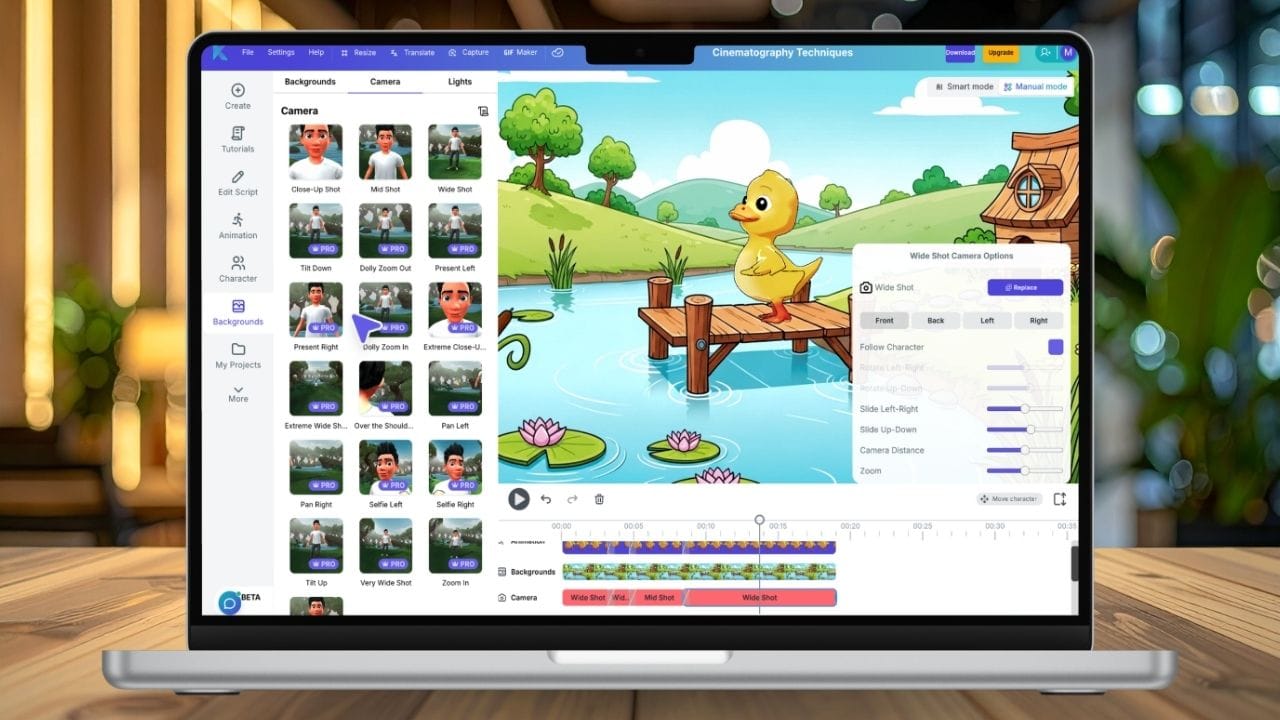
How to Make Camera Angles with Krikey AI Animation
Access the Editor & Prompt Your Vision:
Open the Krikey AI Video Editor and use our AI text-to-animation tool to bring your characters to life. Simply enter a prompt describing your scene; Krikey will generate a fully customizable animation template, providing a foundation for you to apply different camera angles that suit your narrative.
Select from a Comprehensive List of Camera Angles:
Navigate to the "Camera" tab to explore a diverse list of camera angles. You can instantly toggle between essential types of camera angles, such as a tight close-up for emotional intimacy, a medium shot for balanced action, or a bird’s-eye view to capture the grand scale of your 3D environment.
Fine-Tune Your Cinematic Camera Angles:
Beyond presets, Krikey gives you granular control over your camera shots and angles. Use the intuitive slider bars to tilt, rotate, or zoom, allowing you to craft specialized camera angles examples like the "Dutch tilt" for psychological unease or low-angle shots to establish a character's dominance and power.
Synchronize Audio, Music, and Atmosphere:
Once your cinematic camera angles are set, enhance the mood by adding AI-generated voices or background music. Whether your scene requires high-tension cinematic scores or natural dialogue for interview camera angles, you can customize the audio to perfectly match the visual energy of your shot.
Export and Share Your Visual Story:
After perfecting your camera shots and angles, export your project in high resolution as an MP4 video, a shareable GIF, or a high-quality still image. Krikey AI makes it easy to produce professional-grade content that rivals Midjourney camera angles in aesthetic quality, ready for any platform.
Frequently Asked Questions (FAQs) on Camera Angles
These are frequently asked questions about camera angles and shot types.
What is a camera shot?
A camera shot is an individual picture or in the case of filmmaking, a sequence of frames captured by a camera. In this article we use the words camera angle and camera shot types interchangeably. Here we have defined camera shot type as a camera angle.
What is a camera angle?
A camera angle refers to the position of the camera relative to the subject being filmed. A camera angle is its own language and communicates to audiences how to perceive a character or scene and how to feel emotionally while watching a video. The Krikey AI video editing software has a library of camera angles for creators to use in their animated videos.
What is a medium shot camera angle?
A medium shot shows a character from the waist up. It’s commonly used to capture both a character’s facial expressions and their body language. This is a camera preset in the Krikey AI video editor.
What is a long shot camera angle?
A long shot shows the full body of a character in their background. It is often used to establish the scene or provide context for better understanding the character. This is the wide shot camera preset in the Krikey AI video editing software.
Why are camera angles important?
Camera angles are key to storytelling and serve as their own language that communicates emotions to a viewer. The different camera angles and shot types used by creators can influence mood, tone and overall impact of a scene. The camera angles can also reveal character emotions, establish relationships and control an audience’s perspective.
What are the different types of camera angles?
This article lists a number of different camera angles and definitions of them as well as where to find these camera angles in the Krikey AI video editor. Some popular camera angles include the wide shot, close up shot, dutch angle, high angle shot, low angle shot, over the shoulder shot, POV shot and more.
How does camera angles affect a film?
Camera angles can affect a film by changing the mood of a scene, the personality of a character and even the audience’s understanding of a character’s context. These can all be achieved using the preset camera angles and customizable slider bars in the Krikey AI video editor.
Which is a shot in the camera which moves forward, backward or sidewise?
The dolly zoom shots all move the camera forward and backward to a character. These are preset camera angles in the Krikey AI video editing software.
Which type of camera shot is a motion toward or a motion away from a subject or object?
The zoom in shot and zoom out shot move the camera toward or away from a character. These are preset camera angles in the Krikey AI video editing software.
Which type of camera shot is used when the camera is turned horizontally to sweep around the scene?
The pan left shot and pan right shot move the camera horizontally towards or away from a character. These are preset camera angles in the Krikey AI video editing software.
Which type of camera shot is often used to make the subject look strong and powerful?
A low angle shot or tilt up shot is used to make a subject look strong and powerful. These can be selected in the Krikey AI video editor and then customized using the camera angle slider bars.
What are camera angles?
Camera angles are the specific perspectives from which a camera captures a subject to convey meaning or emotion. By using Krikey AI, you can easily manipulate different camera angles to change how your audience perceives your 3D characters.
What are some camera angles examples?
Common camera angles examples include the low-angle shot to show power, the Dutch angle for disorientation, and the bird's-eye view for grandeur. Krikey AI allows you to apply these types of camera angles to your animations with a single click.
What is camera angles definition?
The camera angles definition is the mark of where a camera is placed in relation to the subject's eye line or position. Understanding this helps in creating cinematic camera angles that enhance storytelling, which is made simple through the Krikey AI editor.