Animated Text Generator: Elevate Your Visual Content with Dynamic Text
With the Krikey AI Free Animated Text Generator, you can animate words, phrases, or sentences in creative ways—making them fly, bounce, or fade across the screen. This 3D text generator brings animations to life!
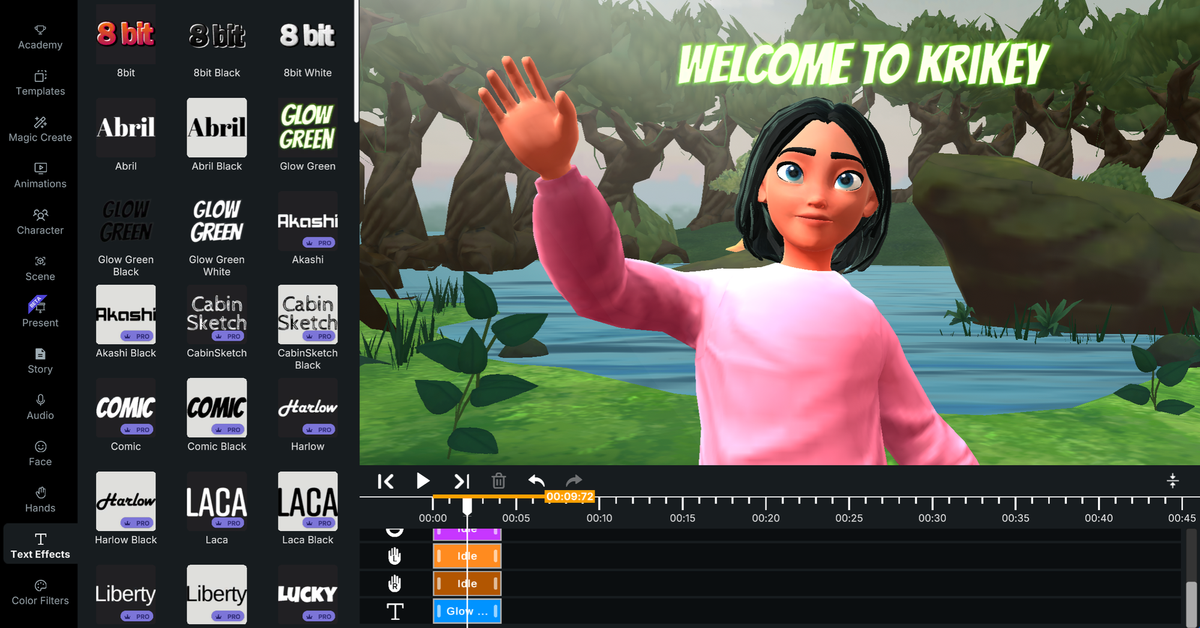
From Wedding invitations to lesson plans to cool anime videos – a solid animated text intro can keep the attention of your audience long after opening credits. Text Animation has long been used in engaging YouTube videos and YouTube intros (and some YouTube Outros too!) and now you can add it to your own animated videos.
Krikey AI Animated text generator offers an innovative solution by adding dynamic flair to your text, transforming static content into eye-catching visuals. Whether you're creating a TikTok video, a marketing presentation, or a fun social media post, animated text can enhance the overall impact of your content. This guide to animated letters and 3D text generator tools will explore everything you need to know about animated text generators, including the best tools, popular use cases, and how to add cool effects to your text.
Key Takeaways
- Text animation generator tools transform static text into engaging motion graphics that can be created in minutes, eliminating the need for technical expertise or expensive software.
- Free animated text maker options make professional-quality effects accessible to everyone, from educators and small businesses to content creators and marketers.
- Multiple animation styles ranging from 3D depth effects to glitch aesthetics allow you to match any project tone, from playful to professional.
- Animated text increases viewer engagement significantly by making content more interactive and memorable across social media platforms and presentations in 2025.
- The text animator integrates seamlessly with character animations and voiceovers, allowing for complete video creation from a single tool without the need to switch between multiple programs.
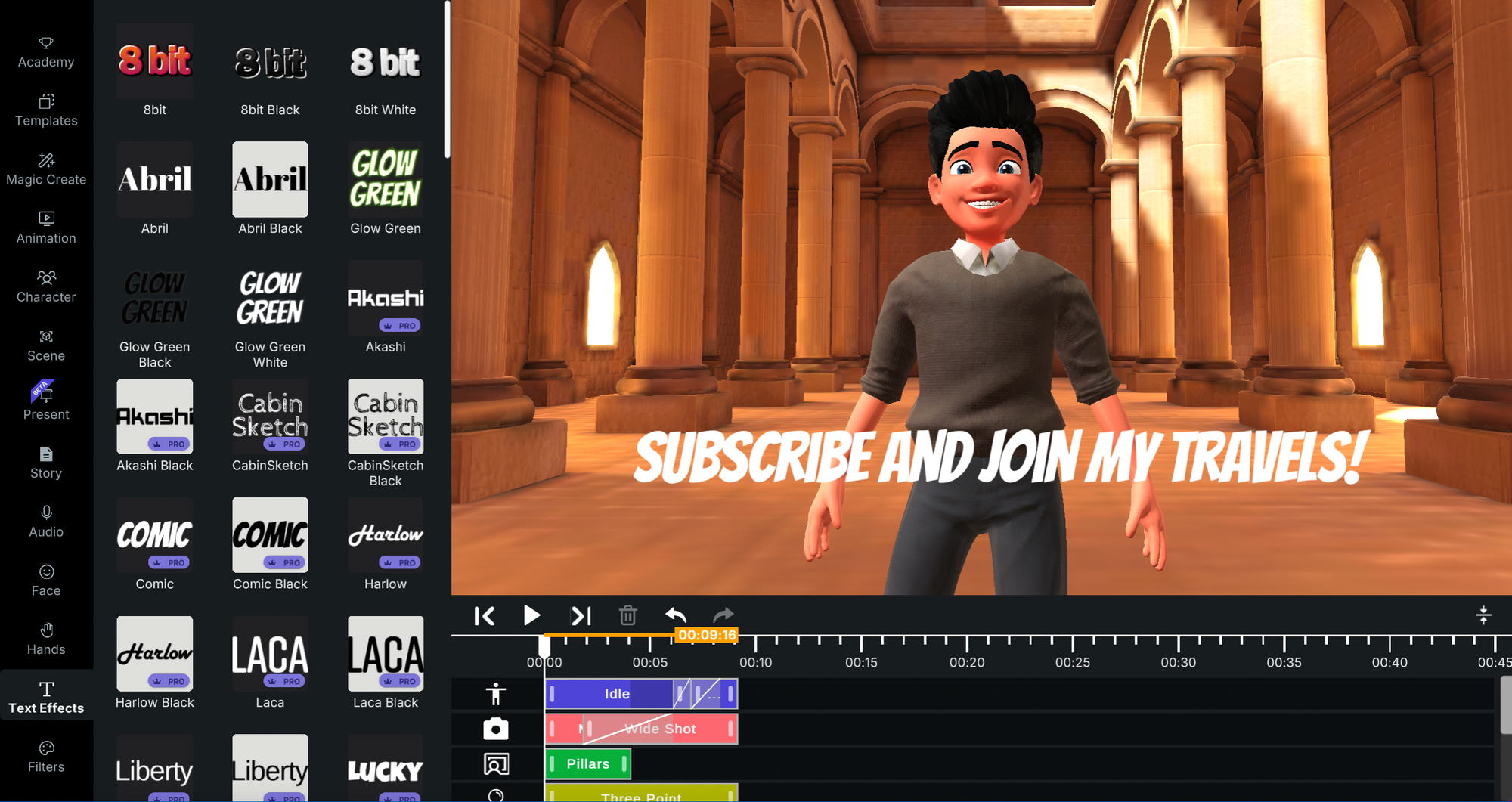
Text Animation Generator Creates Professional 3D Text Effects
An animated text generator is an online tool that allows you to add motion effects to your text without requiring advanced technical skills or design software. With the Krikey AI Animated Text Generator, you can animate words, phrases, or sentences in creative ways for social networks—making them fly, bounce, or fade across the screen. You can also create animated gif text or even an animated glitter effect. This cartoon font generator dynamic element helps engage viewers and keeps your content visually exciting.
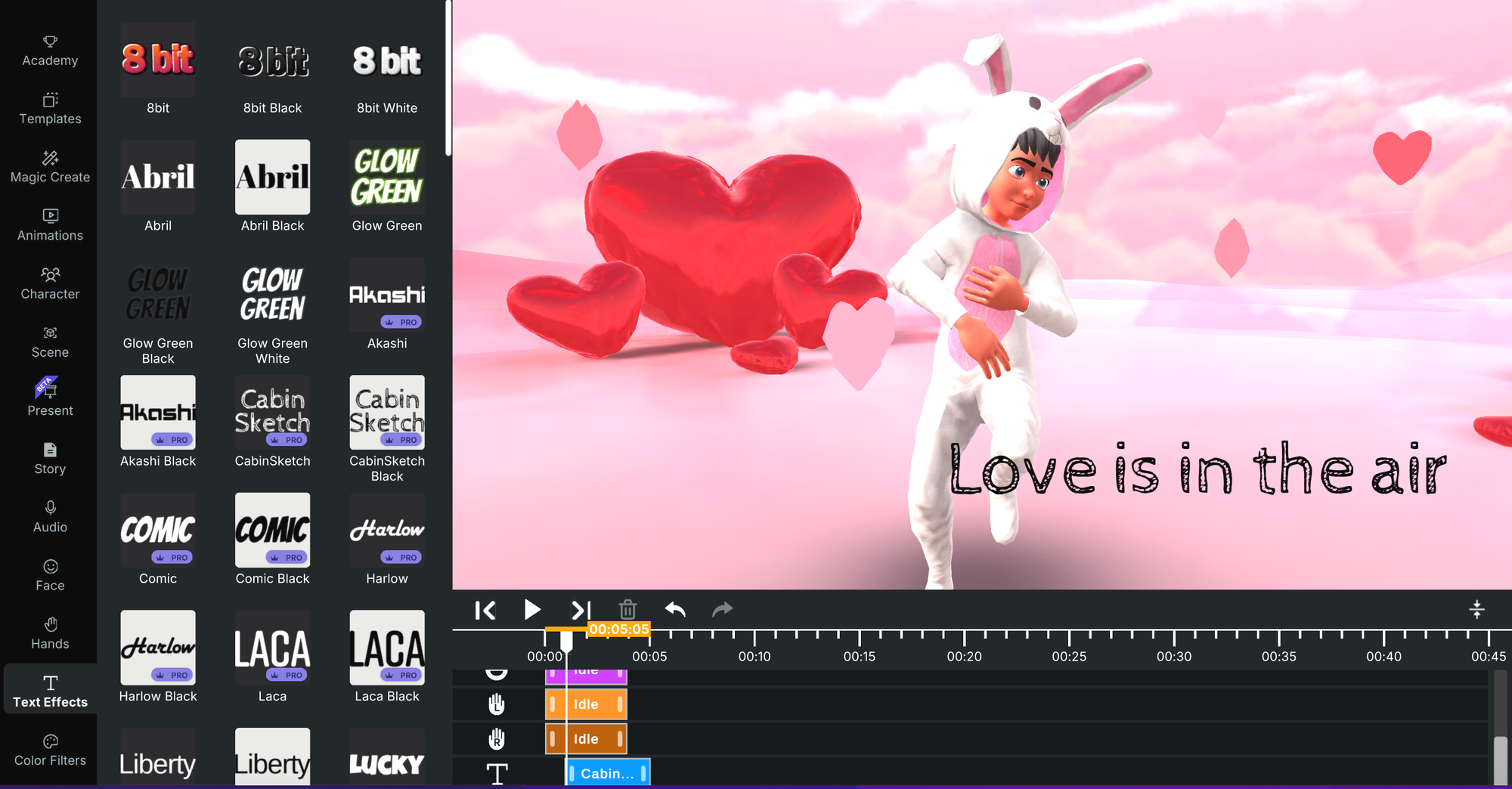
If you are looking for the best place to animate text online, try it out for free in the Krikey AI video editor with their text generator. They have a free text animator inside their AI Animation maker tool. You can create beautiful works of animated word art with moving fonts, text shadow, text outline, beautiful fonts and more, just like a cartoon font generator.
Benefits of Using an Animated 3D Text Generator to Create Text Animations
These are some of the benefits of using the Krikey AI Animated Text Maker and cartoon font generator. It's easy to generate animated text from a design template and use images and animations to make a personal video.
Boost Audience Engagement and create text with cartoon font generator
Incorporating animated text into your videos or presentations significantly increases viewer engagement. By creating moving fonts, your content becomes more interactive, holding the audience's attention longer than static text could. This is especially useful for social media platforms like TikTok and Instagram, where animated word art is key to boosting visibility. Create text, gradient, direction movement and effect text art in seconds!
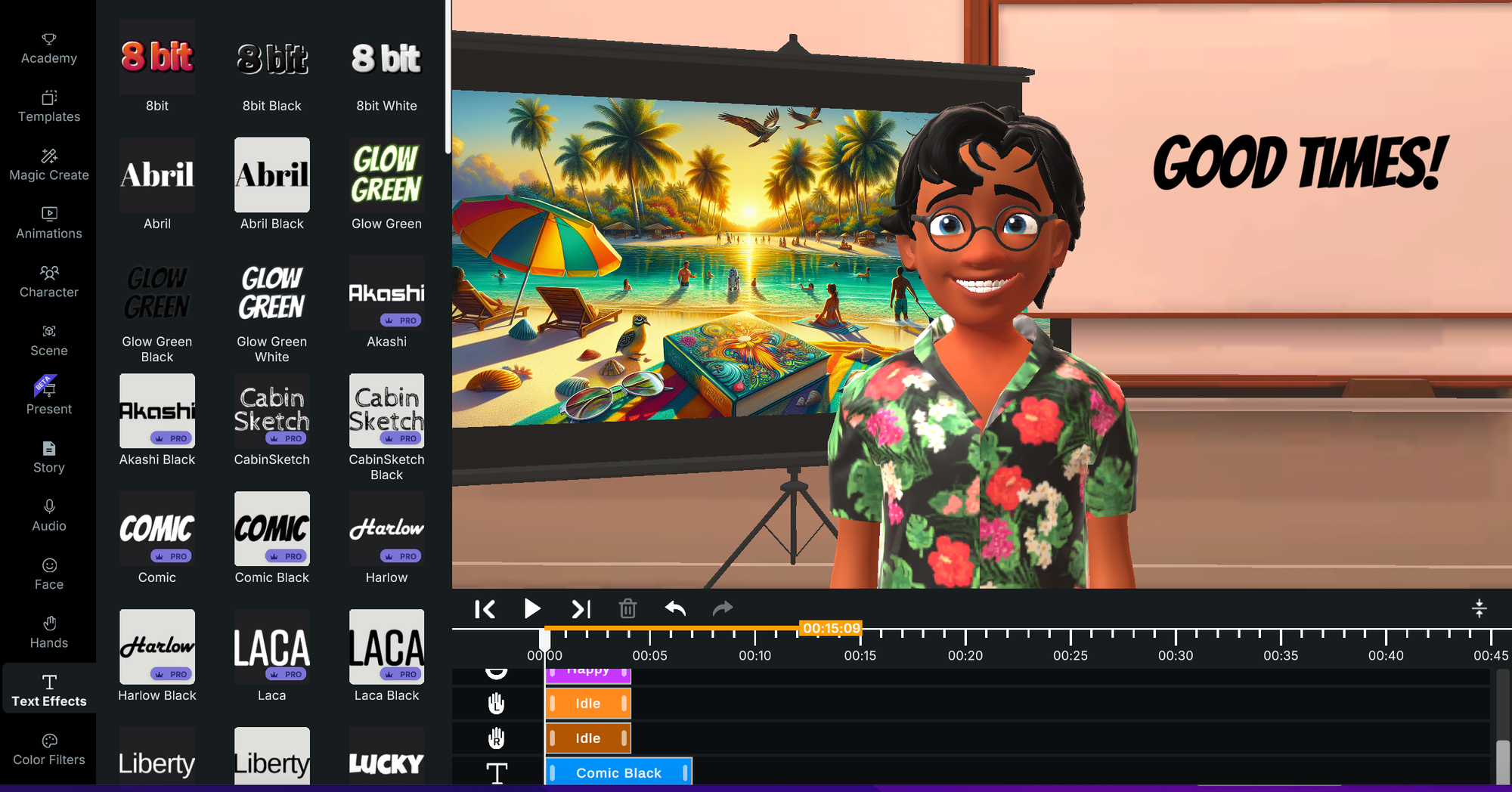
Text Animation Generator Offers Powerful Text Customization with Ease
One of the primary benefits of animated text generators is their user-friendly interface. With just a few clicks, you can adjust fonts, colors, and text effects to suit your animated word art project. Hit generate when you are ready and you will have a beautiful animations video with text effect fonts, maybe some neon color or an inscription and a fully customized animated experience. Try the Krikey AI Cartoon Maker to have animated talking characters next to your cool animated text. Their Animation Editor makes it easy to bring together cartoon characters, voice AI dialogue and text effects in minutes.
No Technical Expertise Required for Font Effects in Text Studio
Unlike traditional animation software such as After Effects or Premiere Pro, Krikey AI online animated text generator does not require specialized skills. Krikey AI enables you to use their moving font tools and animate a video in minutes. You can make animations free using their text effects tool and cartoon font generator, no prior technical experience required.
Popular Use Cases and styles for Animated Text Generators
Animated text can be used across a variety of applications, ranging from personal projects to professional marketing campaigns. Here are a few popular use cases:
Social Media Videos and logos
Whether you’re a TikTok creator or an Instagram influencer, using animated text in your videos can set your content apart. By incorporating text gif creator animations, you can emphasize key points, add humor, or guide viewers through your message. Krikey AI is ideal for cool animated text, making your videos and text gif creator projects more accessible and engaging.
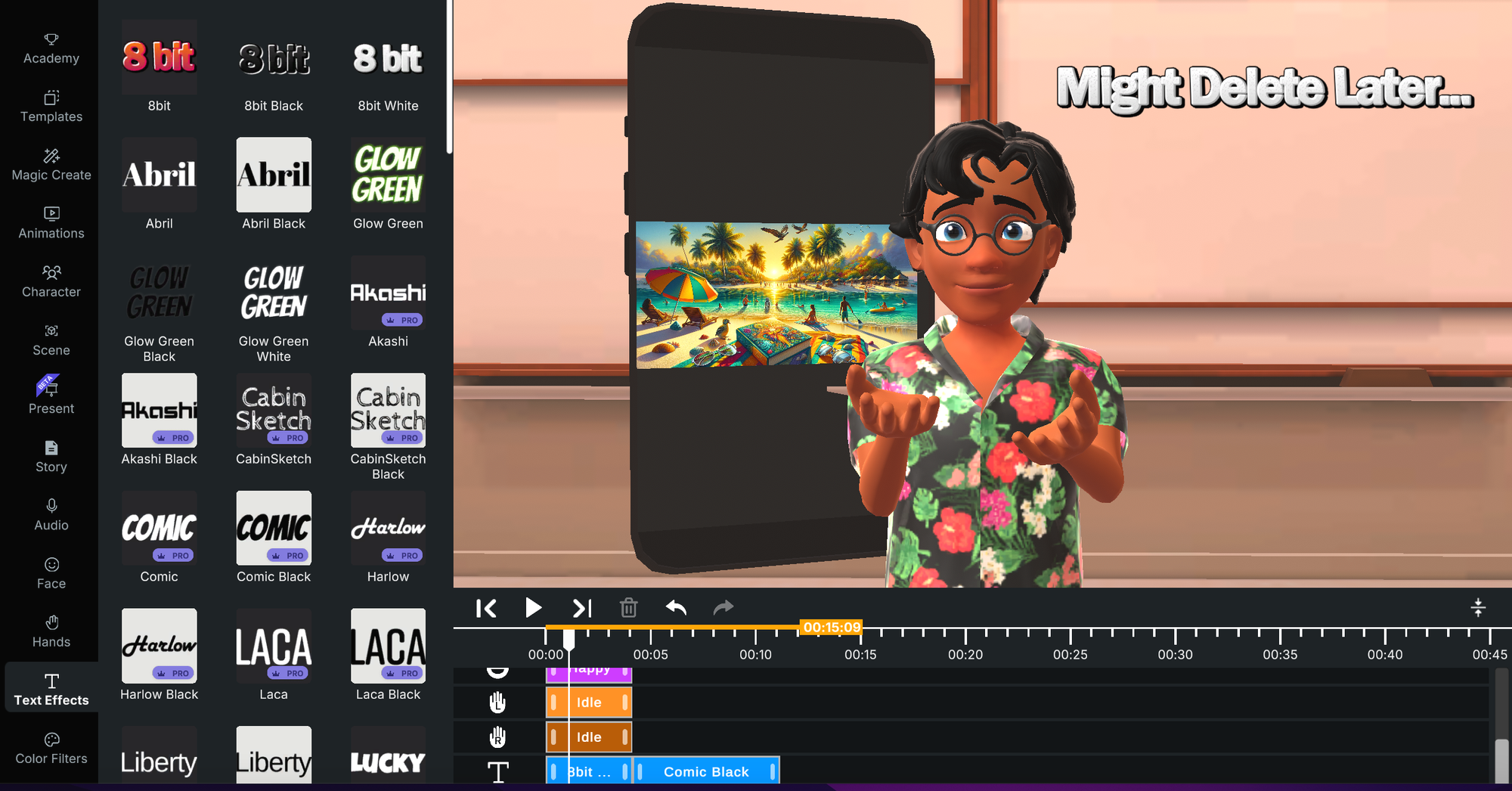
Business Presentations
Animated text helps make business presentations more engaging. Whether you're pitching an idea or delivering a report, adding moving text makes it easier to emphasize crucial points. Tools like Krikey AI offer customizable moving font packs that make creating professional presentations simple.
Marketing and Promotional Videos
Brands can use animated text generators to highlight key products, services, or features in their marketing videos. With the ability to add text effects, you can create polished videos that drive conversions. Animated text is particularly useful for promotional content on YouTube, Facebook, and Instagram.
Personal Projects and Celebrations
From birthday invitations to anniversary videos, animated text can add a fun and personal touch to your projects. Platforms like Krikey AI make it easy to create animated text for special occasions, allowing users to design unique, visually appealing invitations or celebratory messages.
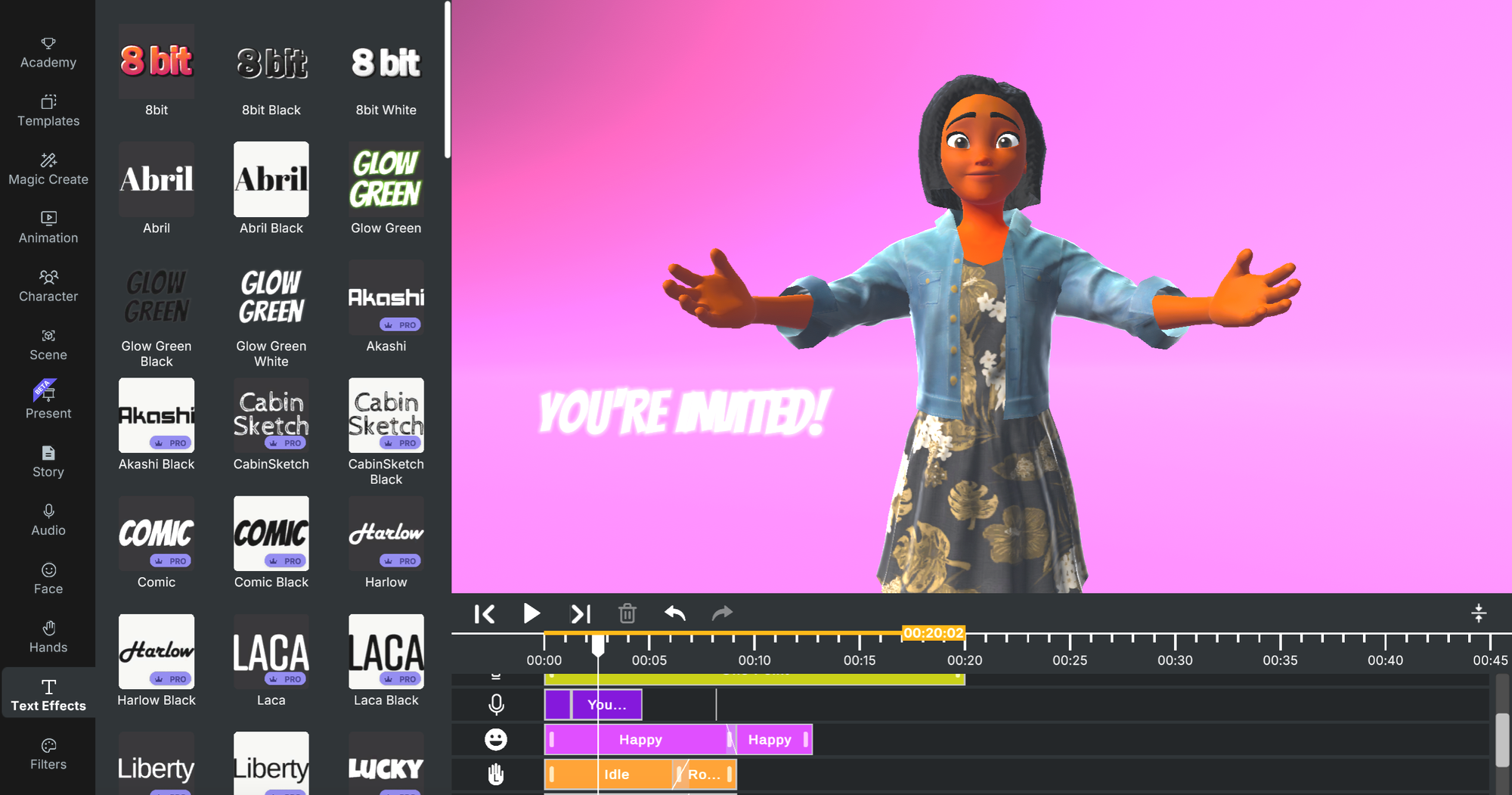
Types of Animated Text Generators Tools in Krikey AI
There are several types of animated text generators inside Krikey AI, each catering to different needs. Below are a few options:
3D Animated Text Generator
Krikey AI 3D animated text generator adds depth to your text, making it appear as if it’s moving in three-dimensional space. Krikey AI provides this feature, allowing users to create stunning 3D text animations and animated word art that is ideal for websites, videos, or social media posts.
Free Animated Text Generator
If you're on a budget, many platforms, including Krikey AI, offer free text animation tools. These platforms provide users with a wide range of customization options for text effects and free gifs or birthday gifs (and neon gifs too)!
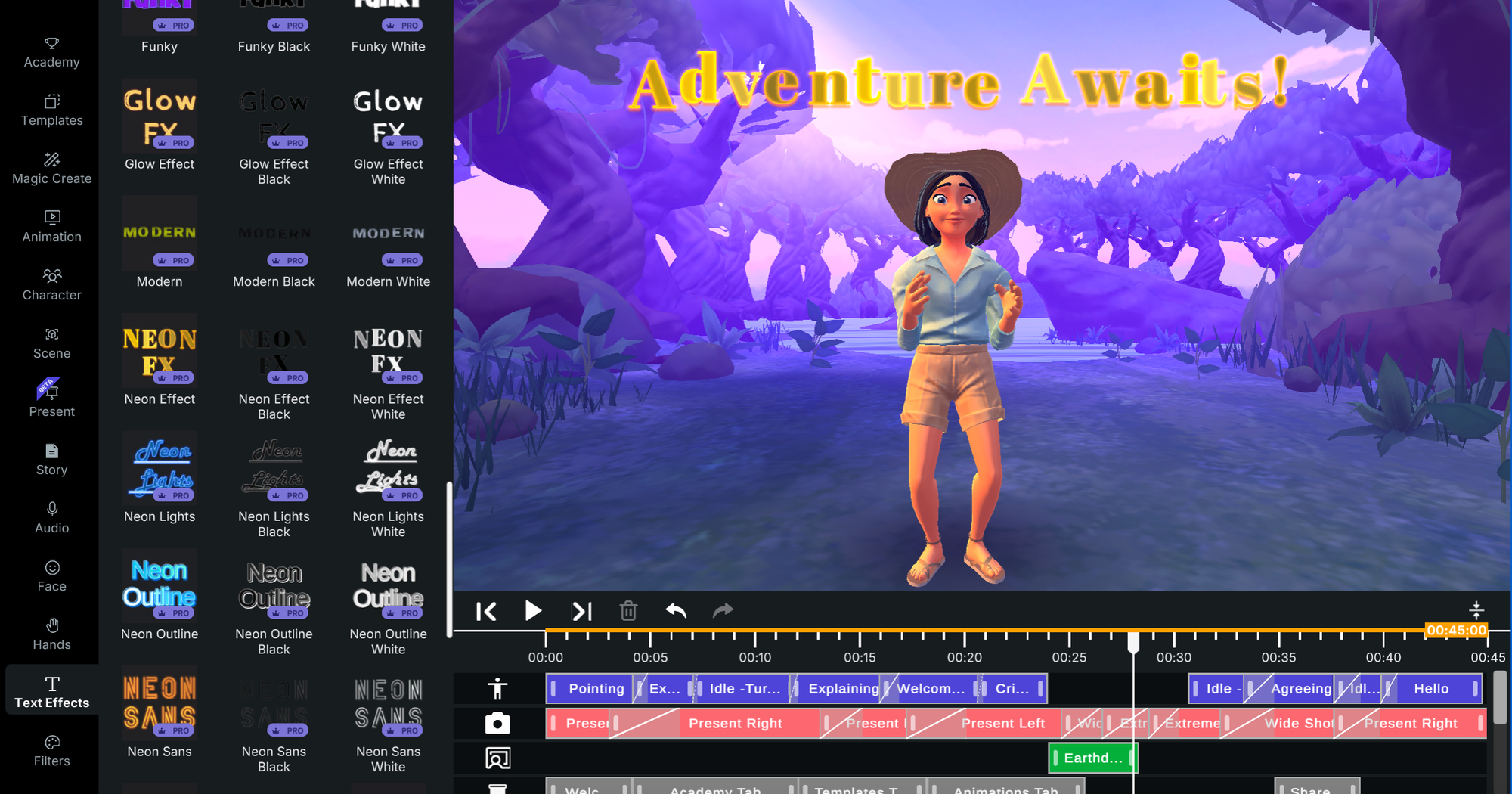
Animated Glitch Text Generator
Glitch effects are a popular trend, particularly for videos that aim to convey a modern, edgy aesthetic. You can create glitch text using tools like Krikey AI, which offers pre-designed glitch templates. Neon gifs can add a level of edgy flavor to your text effects. There are also options like a rizz text generator and graffiti text generator with templates that can add a fresh vibe to your animated videos.
Cute and Fancy Text Generators
For projects that require a softer, more whimsical look, tools like Krikey AI offer various cute text generator and fancy text generator animations. These generators are perfect for more playful content and are a great starting point for learning how to animate text or how to add effects to text.
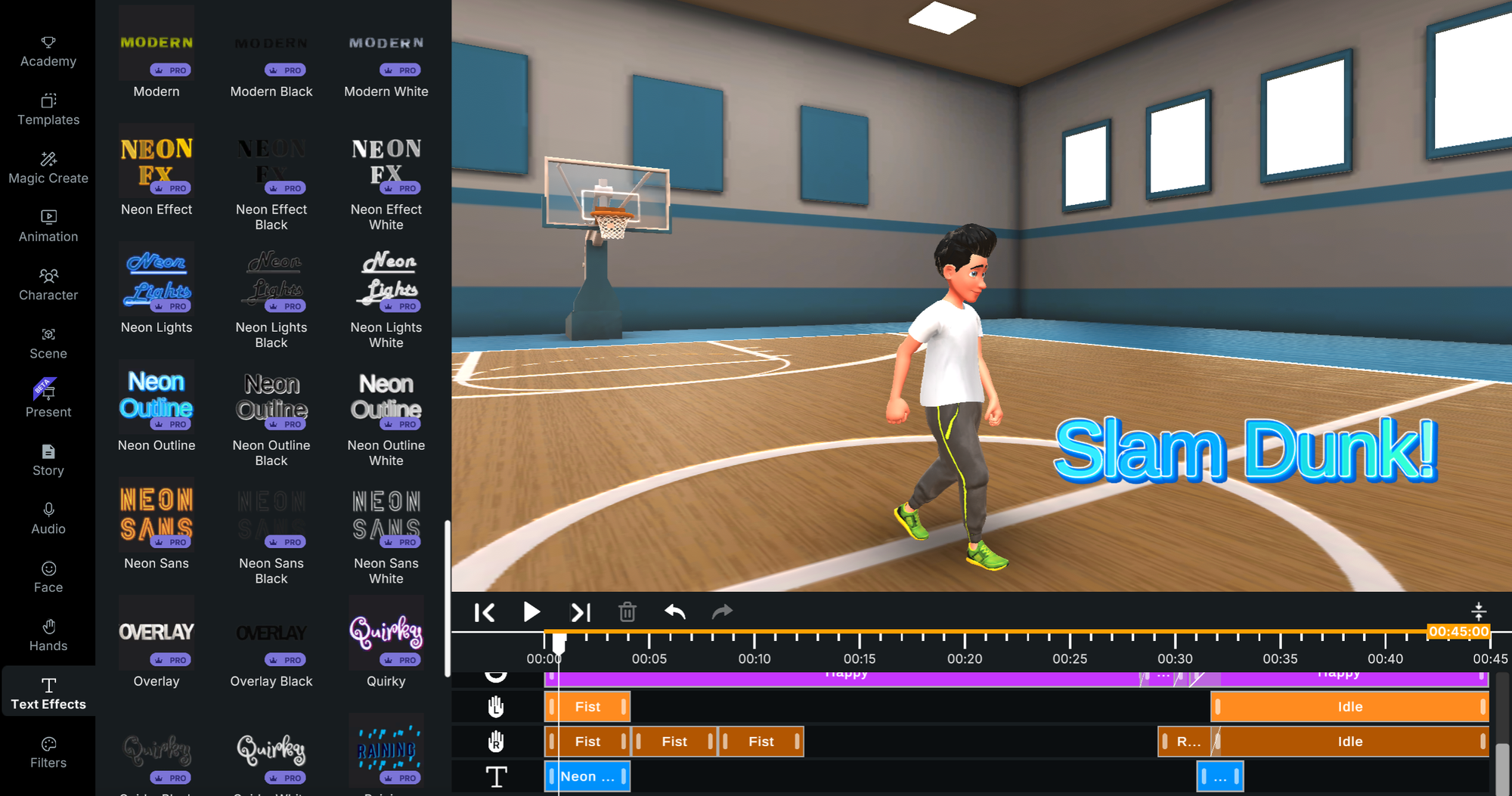
How to Animate Text: A Step-by-Step Guide
Here’s a basic guide on how to animate text using online tools like our cartoon font generator:
Choose a Template in the Krikey AI Video Editor
Start by selecting an animated text template from a tool like Krikey AI. From an animated glitch text generator to a cute text generator and even a TikTok Text generator, Krikey AI has lots of template options to select from.
Customize Your Text
Once you’ve selected a template, enter your text and see it appear on screen in the video. There are lots of free text effects you can experiment with and similar to free photoshop text effects, Krikey AI also has a great library of free effects.
Add Animation Position
After customizing the text, choose a position and size on screen. You can place your text in different places on screen and use the share menu to ensure it fits within the style of video you are creating (ie; for TikTok or Instagram Reels or YouTube shorts). Resize the screen to square or vertical and you can quickly see if your animated text fits on screen or if you need to move it’s position before you export your video.
Export Your Animation
Once you’re satisfied with your animated text, export it as an MP4 video. Then share it with your friends and family and on social media. Don’t forget to tag Krikey AI so we can see and promote your video!
Best Animated Text Generator Styles to Try
With so many options available, here are some top-rated animated text generator styles in the Krikey AI Video Editor:
Wavy Retro Font Maker
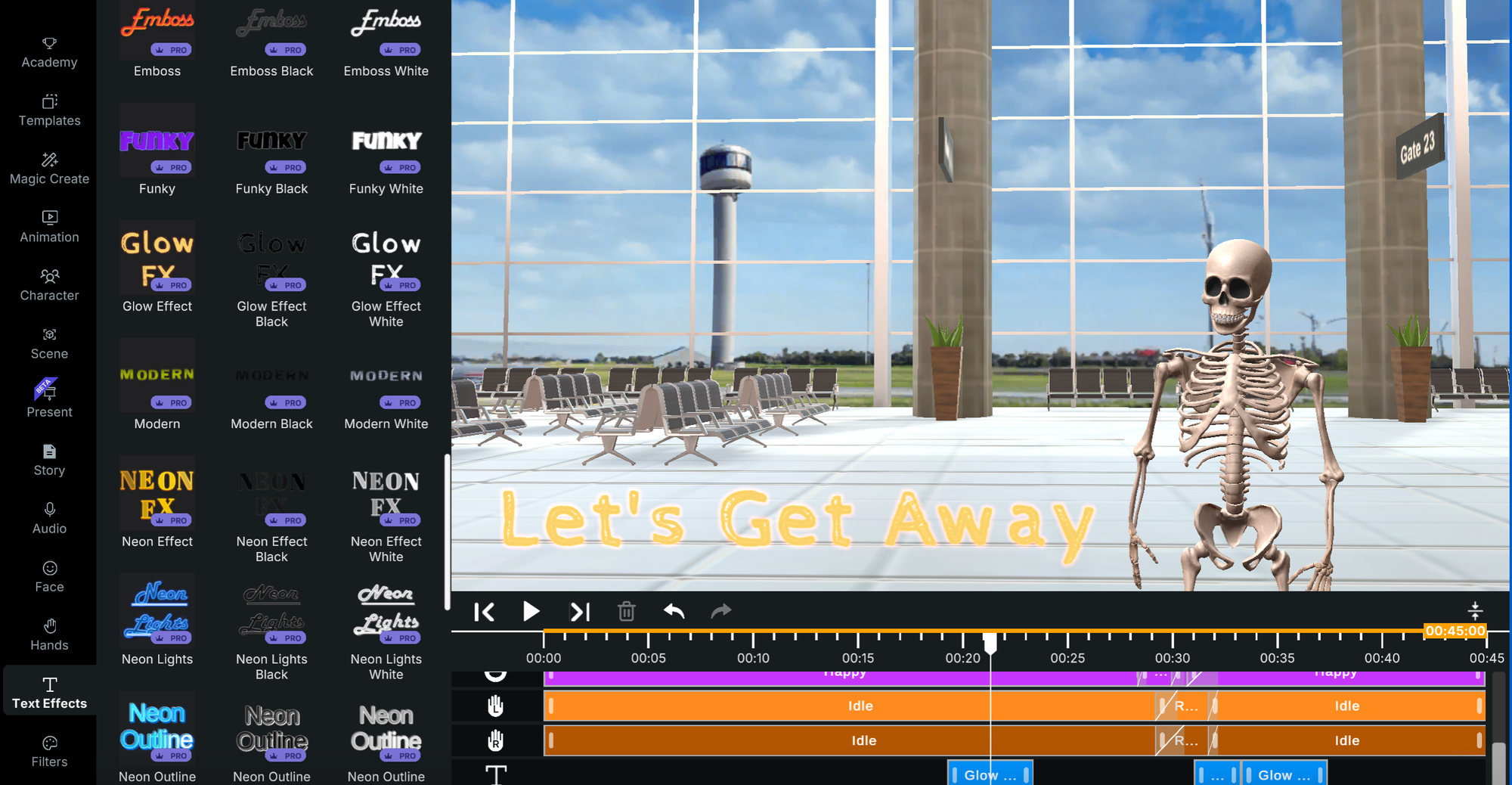
The Wavy Retro Font Maker style is in the category of silly text generator and brings a playful style to your animated video. It’s a throwback to a previous era yet still classy in it’s wavy retro text effect. Try this out for free at www.krikey.ai.
Glow Effect Font Maker
Play around with the Krikey AI Video Editor lighting settings and you can soon find yourself with a spooky font style, the Glow Effect Font Maker. Turn a few of our font templates into glow text effects - thes fall in the rizz text generator or edgy text generator category.
3D Font Maker
If you’re just learning how to animate text or how to add effects to text and you still need to make an animated video for your project - that is too much to take on by yourself! Use the Krikey AI Video editor to make your video and quickly and easily add an animated text generator effect to your video in seconds. Our 3D font maker can provide you with templates for cool text effects, fancy text, silly text and more.
Custom Font Maker
Whether you are looking for a fancy text generator for a wedding invitation or silly text generator for a lesson plan or an edgy text generator for a Gen-Z marketing video, Krikey AI has it all – along with an AI Animation maker and cartoon creator tool! The all in one solution for text effects and animation is easy to use and free to begin creating.
How to Add Special Effects to Text
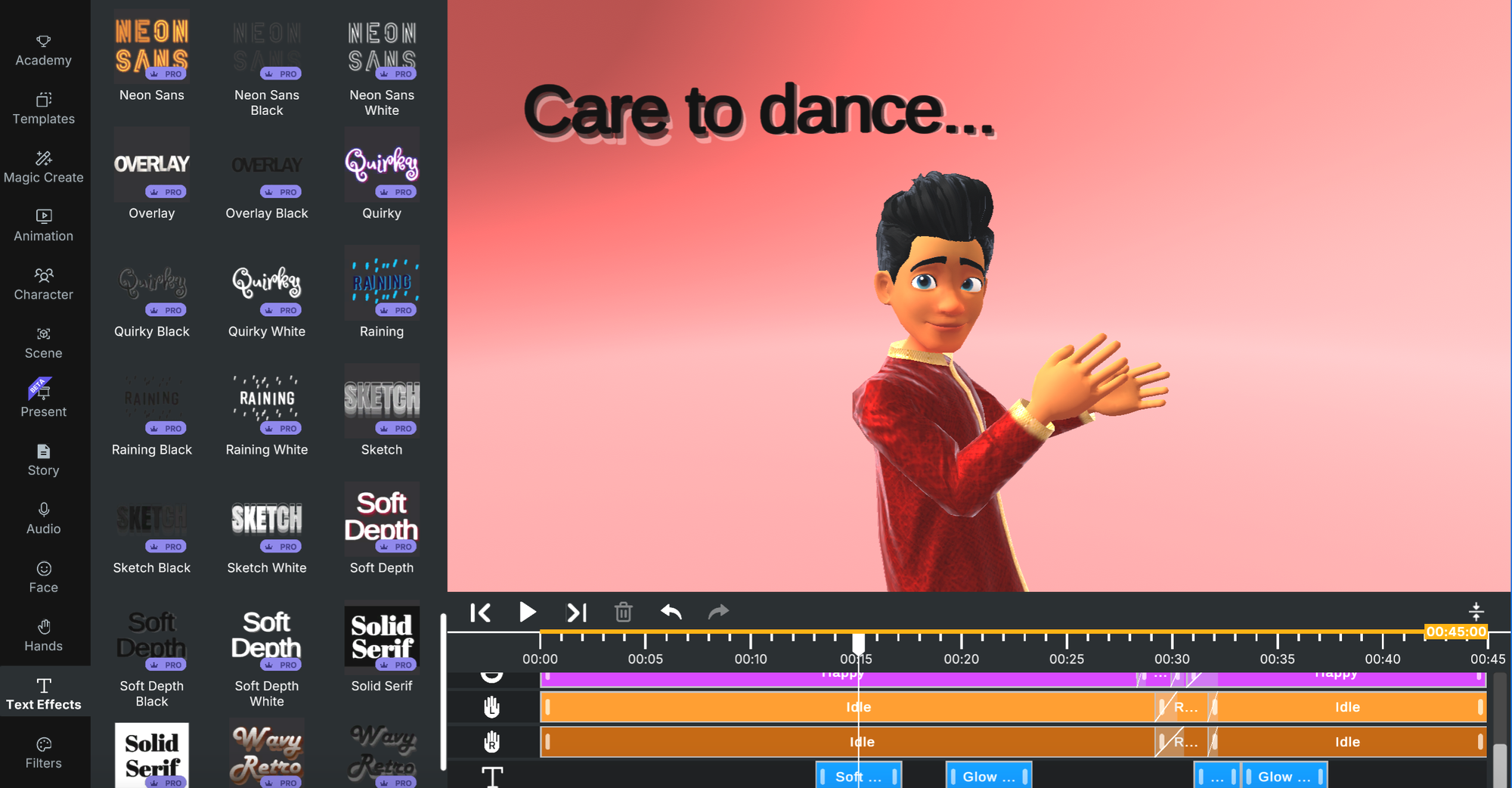
Adding special effects to text can make your animations even more engaging. Here’s how to add special effects to text:
Fancy Text Generator with Blue Colour
To create a fancy text generator with blue colour effect for your video, go to the Krikey AI Video Editor and select the text icon in the left hand bar. Inside this tab you will see several text effects templates that you can choose from. These are all free text effects and some of them have a striking blue color. Select your favorite one and begin typing your text on screen. It’s easy to resize the text and move it around as needed in the video. Export when you are ready and share with family and friends in multiple languages!
Animated Glitch Text
For an edgy, modern look, animated glitch text effects are ideal. You can achieve this by using Krikey AI, which offers pre-designed templates. To access the animated glitch text generator, visit the Krikey AI Video Editor and select the text icon in the left hand bar. Inside this tab you will see several text effects templates that you can choose from. These are all free text effects and some of them have an animated glitch text effect. Select your favorite one and edit. Then resize and move it around. Type in multiple languages and share with your community!
Neon and Flicker Effects
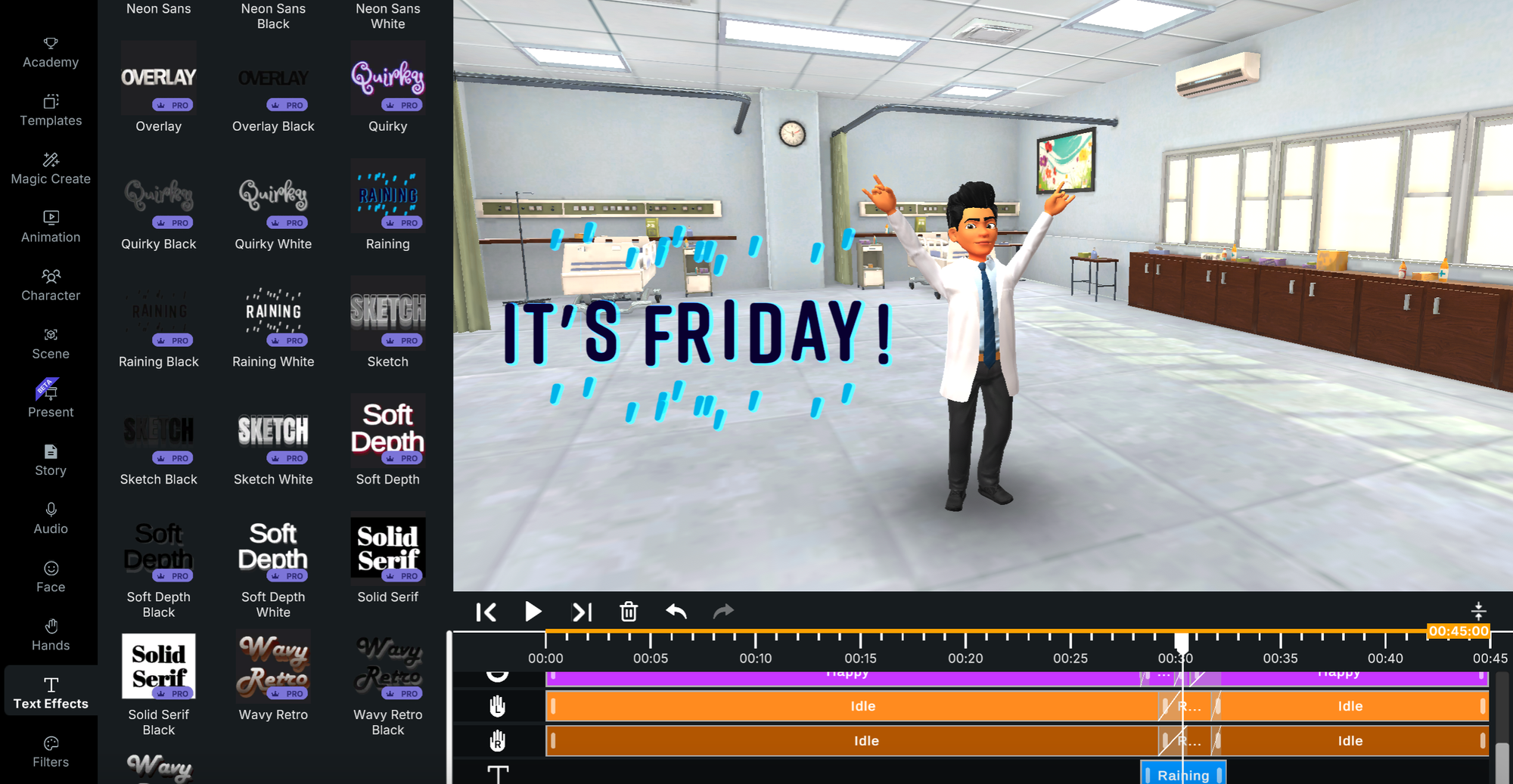
If you're looking for a retro vibe, flicker or neon effects can be applied to your text through platforms like Krikey AI. These animations make your text appear as if it’s glowing or flickering like a neon sign. To access the neon text generator, visit the Krikey AI Video Editor and select the text icon in the left hand bar. Inside this tab you will see several text effects templates that you can choose from. These are all free text effects and some of them have a neon text effect. Select one to edit, resize and move on screen. Share your final video with your followers!
Adding Images, GIFs, and Video Brings Your Text Animation to Life
The animation maker enables you to combine multiple media formats into a single, cohesive project. Add animation effects alongside images to create dynamic presentations that capture attention. The text reveal feature works seamlessly with GIF formats, perfect for social media content that needs a quick impact. When you combine video clips with your animated text, you create layered visual stories that resonate with your audience in 2025.
The powerful text effects in Krikey AI are compatible with all media types. Whether you're starting with static images or complete video footage, the text animator adapts to your needs. This flexibility means you can design everything from simple text animations to complex motion graphics projects. The tool supports various fonts and effects, enabling you to achieve professional results that align with your vision.
Creating Animated Text Makes Content Design Accessible to Everyone
The animation generator democratizes content creation by removing technical barriers. You no longer need expensive software or years of training to create professional animated text. The maker interface offers templates that streamline your workflow while maintaining creative control. This accessibility has transformed how individuals and businesses approach visual content in 2025.
Whether you need a text effect for a single project or plan to create multiple animations, the free tier provides substantial value. The animation templates encompass a range of popular styles, from minimalist to bold, providing options for any brand aesthetic. As you become more comfortable with the tool, you can layer multiple text animations and effects to develop your signature style.
Final Thoughts on Animated Text Generators
Krikey AI Animated text generator is an essential tool for anyone looking to elevate their visual content. Whether you're a business professional, social media influencer, or teacher, these tools provide an easy and effective way to make your text come to life. Start experimenting today to make your content stand out.
Frequently Asked Questions on Animated Text Generators
These are frequently asked questions about Animated text generators, font makers, and text effects.
How can I create animated text for free?
You can create animated text for free using tools like Krikey AI. These platforms offer a wide range of templates and animations that can be customized without requiring payment.
What is the best software for animated text?
Popular tools for creating animated text include Krikey AI Text Generator. They have a variety of text animation styles and customization options, including a cute text generator, animated glitch text generator and a free animated text generator.
Can I animate text without using After Effects or Premiere Pro?
Yes, tools like Krikey AI allow you to animate text directly in your browser, eliminating the need for complex software like After Effects or Premiere Pro. You can create an entire animated video with talking cartoon characters and animated text effects using Krikey AI tools in your online browser window - no software required and no previous technical skills or experience required.
Can I create animated 3D text?
Yes, platforms like Krikey AI offer options to create 3D animated text, which adds depth and dimension to your text animations.
How do I add animated text to a video?
To add animated text to a video, you can use online video editors like Krikey AI. Create your own animated talking characters in Krikey AI and make a video. You can add animated text effects in minutes and easily export your video to share on social media or with friends and family.
Can I animate text for social media posts?
Absolutely! You can use tools like Krikey AI to create animated text specifically designed for platforms like TikTok, Instagram, and Facebook.
What is an animated glitch text generator?
An animated glitch text generator creates text animations with a "glitch" effect, giving your text a distorted, modern look. Tools like Krikey AI provide pre-designed glitch animation templates.
How do I create animated captions for videos?
You can add animated captions to videos using tools like Krikey AI. You can customize font, size, and animation style to match the tone of your video.
How can animated text improve audience engagement?
Animated text makes content more engaging by adding motion, which helps grab attention and makes key messages stand out. This is particularly effective in marketing videos, presentations, and social media posts.
How can a text animation generator help my business stand out in 2025?
A text animation generator helps your business create eye-catching content that stops viewers from scrolling past your posts. The motion effects draw attention to your key messages and make your brand more memorable. With Krikey AI's powerful text features, you can produce professional-quality animations that previously required hiring a designer or purchasing expensive software. This tool provides small businesses with the same visual capabilities as larger companies, thereby leveling the playing field for marketing content.
What types of fonts work best with animated text effects?
Bold, clear fonts typically create the most effective text animations because they remain readable even with motion effects. The Krikey AI animation maker features a range of fonts optimized explicitly for animation, spanning from playful to professional styles. When choosing fonts for your project, consider your audience and platform – social media often benefits from larger, more impactful fonts, while presentations may require more subtle typography. You can experiment with different font combinations using the free templates to find what works for your content.
Can I add animation to text in existing videos?
Yes, you can add animation effects to existing video content using Krikey AI's editor. Upload your video file, then layer animated text on top using the text animator tool. This feature allows you to enhance previously created content or add captions and titles to footage. The animation generator offers precise control over timing, position, and style, enabling you to integrate new text elements into your original video seamlessly.
How does animated text improve engagement compared to static text?
Animated text creates movement that naturally draws the human eye, making viewers more likely to engage with and read your message. Studies show that video content with motion graphics receives higher engagement rates across all platforms. The text reveals and animation effects help pace information delivery, making complex messages easier to digest. When you create animations with deliberate timing and style, you guide viewer attention exactly where you want it, increasing message retention and action rates.
What makes Krikey AI's text generator different from other animation tools?
Krikey AI combines a powerful text animator with 3D character animation and voice AI in one platform. While other tools may offer text effects, Krikey AI enables you to create complete animated videos without needing to switch between multiple programs. The tool includes free templates, diverse fonts, and effects ranging from simple fades to complex 3D motion. The animation maker works entirely in your browser, requiring no downloads or installations, and the interface makes professional-quality animations accessible regardless of your technical skill level.