How to Make Animation Videos with Explainer Video Software: A Beginner's Guide for Tutorials
Krikey AI Explainer Video Software uses AI Text to Animation for fast, easy creation of high-quality animated content from tutorials to onboarding videos and explainer videos.

Key Takeaways on Explainer Video Software
- Krikey AI Animation tools use AI Text to Animation to simplify the creation of explainer videos, acting as comprehensive explainer video software.
- The platform offers pre-rigged 3D cartoon characters ready for immediate use, including automatic character rigging for body motion and lip synchronization.
- The software enables companies to save time and budget while producing high-quality animated content for various business needs, such as HR training and product demonstrations, and allows for animating 2D brand mascots into 3D assets.
Ideas on how to use animation for Explainer Video Software
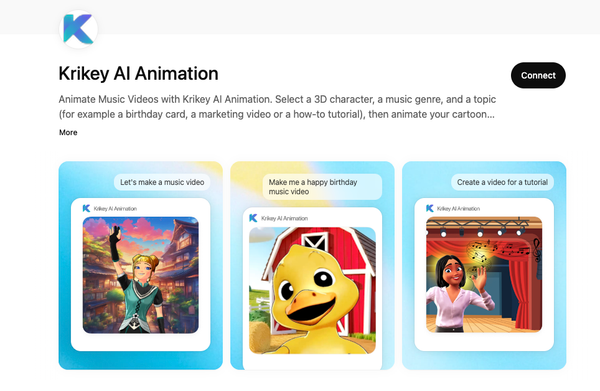
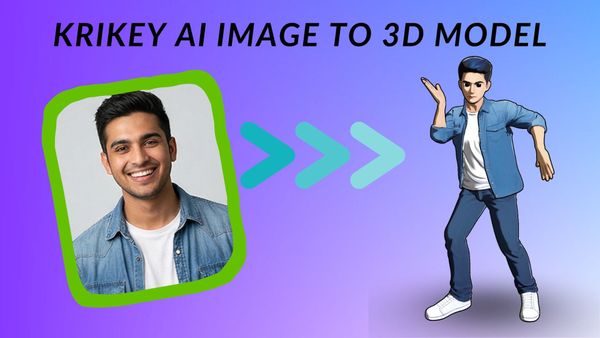
Krikey AI Animation tools offer a revolutionary approach to creating engaging explainer videos. By leveraging the power of AI Text to Animation, Krikey AI acts as comprehensive explainer video software that drastically simplifies the production process. The platform features an extensive 3D Cartoon Character store, where all characters are pre-rigged 3D models ready for immediate use. This automatic setup includes character rigging for body motion and lip synchronization, ensuring smooth and realistic movements with minimal effort from the user. These versatile characters can be utilized across a variety of crucial business needs. Companies can produce impactful explainer videos for essential HR trainings, streamlined employee onboarding processes, compelling product demonstrations, and effective internal training modules. Implementing Krikey's explainer video software translates into significant savings in both time and budget, enabling companies to quickly generate high-quality animated content featuring appealing cartoon characters. Furthermore, for companies seeking consistent branding, Krikey AI allows them to animate their existing 2D brand mascot into a dynamic 3D asset through the image to 3D model beta program, further enhancing their animated explainer video capabilities.
Frequently Asked Questions (FAQs) about Explainer Video Software
These are frequently asked questions about Explainer Video Software.
What are the key features to look for in explainer video software?
When choosing explainer video software, look for tools that offer an intuitive interface, a strong library of customizable templates, and flexible animation options. Features like built-in voiceover recording, audio editing tools, and easy export settings are also essential. Many creators now prefer AI-powered platforms such as Krikey AI, which streamline the process by generating animated characters, scenes, and motion from simple text prompts—allowing you to build polished explainer videos without needing advanced animation skills.
What are the advantages of using explainer video software for business promotion?
Explainer video software helps businesses simplify complex ideas, making them more engaging and easier for customers to understand. These videos can boost conversions, improve SEO, and increase online visibility thanks to their high shareability across social platforms. With AI-assisted tools like Krikey AI, businesses can produce professional animations faster—reducing production time while elevating the overall creative impact of their marketing content.
How does explainer video software work?
Explainer video software combines templates, drag-and-drop animations, text tools, and audio features to help users build clear, visually engaging videos. Traditional tools require manual animation, but modern AI-powered options like Krikey AI automate much of the process. Simply describe your scene, characters, or message, and the AI generates motion, character actions, and visual assets—making it easier than ever for beginners and professionals alike to create polished explainer videos.