Krikey AI vs. Pika Labs
Explore the differences between Pika Labs and Krikey AI Animation. Learn about the Pika labs AI video generator and Krikey AI's 3D Animation video generator. See the pika labs pricing options compared to Krikey AI Animation.
Key Takeaways about Pika Labs
- Cinematic but Random: Pika Labs creates beautiful video, but you often lose control over specific character movements.
- The Physics Specialist: Best for environmental effects like melting or exploding, but lacks professional rigging.
- The "Black Box" Problem: It’s hard to get the exact same character to do the exact same dance twice in Pika without a specialized tool like Krikey AI.
What is Pika Labs?
Pika Labs is a generative AI video tool that turns text into cinematic clips. While it produces stunning visuals, it often struggles with "character consistency"—the ability to keep a character looking and moving exactly how you want across different shots. This is where Krikey AI Animation steps in to bridge the gap between "cool AI video" and "professional storytelling."
- Text-to-Video: Great for background scenery and atmospheric effects.
- Generative Physics: Realistic movement for non-human objects.
- Visual Style: High-fidelity aesthetic that looks like a big-budget movie.
Ways to use Krikey AI for creators seeking out a Pika Labs alternative
Paragraph
Pika Labs pricing vs. Krikey AI costs
Pika labs has recurring subscriptions that go from $8 - $95 / month. Krikey AI costs $15 / month on a recurring Pro subscription (prices vary by currency). Krikey AI also offers day pass, week pass and month pass options along with education and non-profit discounts. There is also a robust free trial offering so creators can explore and experiment with Krikey AI, without committing to a recurring subscription.
Pika Labs AI Video Generator vs Krikey AI Video
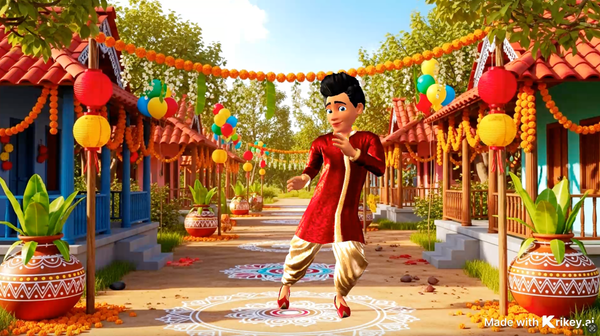
Pika Labs AI Video Generator creates 2D video content with limited creator controls. With Krikey AI, you can generate an animation video and then have granular creative control over the character style, position, camera angles, backgrounds, voice AI dialogue for talking or singing and more. You can also export from Krikey AI in multiple formats including PNG, GIF, MP4 and FBX file - FBX files can be used in video game software and other 3D tools.
Pika Labs AI vs Krikey AI
Krikey AI has taken great care to train only on their own data set. By creating their own motion capture dataset for animations, they protect artist's rights and don't train on other video materials across the Internet. Krikey AI Animation is also SOC2 certified and has a number of technical certifications from Amazon Web Services.
How to make a custom AI Character with Krikey AI Animation
- Step 1: Build your Hero. Create a custom 3D character in the Krikey Avatar Creator.
- Step 2: Command the Motion. Use Krikey’s AI to generate a talking or singing animation video in seconds.
- Step 3: Export to Share. When done editing your Krikey AI Animation video, you can export and share it instantly.
Why Krikey AI Animation is perfect for creators looking for a Pika Labs alternative
Pika Labs is a great "camera," but Krikey AI is the "director." Using Pika alone often results in "hallucinations"—where limbs disappear or faces warp. By using Krikey AI Animation first, you can create a solid 3D animation video in seconds. Krikey gives you the precision of a professional animator with the speed of AI, and it helps creators go beyond just a prompt.
Final Thoughts on Pika Labs AI
Pika Labs is a powerful tool for visual effects, but Krikey AI Animation is the engine for your story. To create high-quality, repeatable, and professional content, you need the 3D control that only Krikey provides. Stop gambling with random AI generations and start building your own animated universe today.
Frequently Asked Questions (FAQs) about Pika Labs
These are frequently asked questions about Pika Labs.
Why should I use Krikey instead of just Pika?
Krikey provides 3D rigging and character consistency that Pika Labs cannot match.
Can I export my Krikey animations to other software?
Yes! Krikey supports FBX exports for Unity, Unreal, and Maya, whereas Pika is restricted to video files.
Is Krikey AI better for character dialogue and music?
Yes. Krikey’s lip-sync and facial expression tools are designed specifically for 3D characters, offering more precision than Pika.
Do I need animation experience?
Not at all. Both tools use AI, but Krikey gives you a more intuitive interface for moving characters in 3D space.